10+ Free Canva Resume Templates (2026 Guide)
Discover free Canva resume templates on SoundCV to build professional, ATS-friendly resumes quickly and improve your chances of getting hired.
Overview
Explore the best free Canva resume templates on SoundCV designed for every career level. Create visually appealing, ATS-optimized resumes with ease, customize layouts, and boost your chances of landing interviews in today’s competitive 2026 job market.
You have 6 seconds. That's how long a recruiter spends scanning a resume before deciding whether you move to the next round or land in the rejection pile. So if your resume looks like a plain Word document with walls of text, you're already losing, no matter how impressive your experience is.
The good news? Free Canva resume templates have completely changed the game for job seekers. And when you combine Canva's design flexibility with SoundCV's powerful resume-building tools, you get the best of both worlds: beautiful design and smart, ATS-optimized content.
In this guide, we've reviewed 10+ free Canva resume templates available through SoundCV, explained what makes each one stand out, and given you everything you need to choose, customize, and land more interviews,s all for free.
Key Points
- 10+ free Canva resume templates for different industries
- Fully customizable designs with drag-and-drop editing
- ATS-friendly resume formats for better job success
- Ideal for freshers, professionals, and career changers
- Combines Canva design with SoundCV smart tools
- Includes keyword optimization and ATS score checker
- Helps create resumes in minutes without design skills
- Supports PDF and Word export for job applications
- Designed to improve recruiter attention within seconds
- Perfect for 2026 competitive job market
Why Use Canva Resume Templates in 2025?
Before we dive into the templates themselves, let's address the elephant in the room: why use a free Canva resume template at all when Microsoft Word has been the default for decades?
The answer comes down to three things: visual impact, accessibility, and speed.
Visual Impact That Gets You Noticed
Graphic designers professionally design Canva resumes. The typography, spacing, color choices, and layout hierarchy are all optimized to draw the reader's eye to what matters most: your name, your job title, and your key achievements. A well-designed free Canva resume template immediately signals professionalism and attention to detail before the recruiter reads a single word.
Accessibility for Non-Designers
Not everyone has Adobe InDesign skills, and not everyone should need them. Canva's drag-and-drop interface means you can take a premium-looking free resume template Canva offers and make it completely your own, changing colors to match your personal brand, swapping fonts, and rearranging sections in under 30 minutes, even if you've never used a design tool before.
Speed From Blank Page to Finished Resume
Starting from a blank page is intimidating. Starting from a polished free Canva resume template means you only have to fill in your information. SoundCV takes this a step further by pre-populating smart content suggestions, so you're not just getting a pretty shell, you're getting a strategic head start on your entire job application.
Also Read : Why Do You Want to Join Our Company? Best Answer Guide for Interviews
10+ Free Canva Resume Templates Available on SoundCV
SoundCV offers a curated collection of free Canva resume templates designed for different industries, career levels, and personal styles. Here's an in-depth review of each category:
1. The Clean Minimalist Best for Corporate & Finance Roles
What it looks like: White background, black and dark grey typography, single left-aligned column layout, generous white space.
Why it works: Conservative industries like banking, law, consulting, and corporate HR still favor the no-frills approach. This free Canva resume template communicates confidence and precision without any visual noise. It's also one of the most ATS-friendly templates because it avoids complex graphics or multi-column layouts that can confuse applicant tracking systems.
Best for: Finance analysts, lawyers, management consultants, and executive assistants.
2. The Bold Professional Best for Marketing & Sales
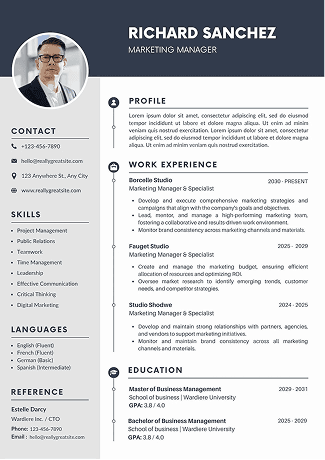
What it looks like: A strong accent color bar on the left or top, a clean header with name prominently displayed, a two-column layout separating skills and contact info from main experience.
Why it works: Marketing and sales professionals need to sell themselves first, and this free resume template that Canva provides does exactly that. The bold header is a statement. It says: I know how to grab attention. The two-column layout also allows you to pack more information into a single page without it feeling cramped.
Best for: Marketing managers, sales executives, digital marketers, and brand managers.
3. The Creative Portfolio Best for Designers & Artists
What it looks like: Color blocks, custom icons, visual skill bars, a profile photo section, and enough personality to show you're not just another applicant.
Why it works: Creative roles demand a resume that IS a portfolio piece. If you're a graphic designer and your resume is plain, you're actually hurting your chances. This free Canva resume template lets your design sensibility shine through. Customize the color palette to match your brand, and swap out icons to reflect your specific tools and skills.
Best for: Graphic designers, UX/UI designers, illustrators, art directors, creative directors.
4. The Tech Resume Best for Developers & Engineers
What it looks like: Dark or neutral color scheme, structured skills section with tags or badges, GitHub/LinkedIn icon links, and a clear technical skills inventory near the top.
Why it works: Tech recruiters scan for skills fast. They want to know within 10 seconds whether you know Python, React, or AWS. This free Canva resume template puts skills front and center with a visually scannable format. The badge-style skill tags are readable by both humans and many ATS systems when exported correctly.
Best for: Software developers, data engineers, DevOps engineers, and product managers.
5. The Modern Academic Best for Recent Graduates
What it looks like: Clean, slightly formal, with clear sections for education (prominently placed), internships, projects, extracurriculars, and a polished objective statement.
Why it works: Fresh graduates often struggle because they don't have years of work experience to show. This free Canva resume template is specifically structured to highlight education, relevant projects, academic achievements, and transferable skills, making a limited work history look strategic rather than sparse.
Best for: New graduates, entry-level applicants, students applying for internships.
6. The Executive Leader Best for Senior Professionals
What it looks like: Elegant typography, navy or charcoal color accents, strong emphasis on career summary, leadership achievements, and board or advisory positions.
Why it works: At the executive level, the resume is not a list of tasks; it's a leadership narrative. This free resume template Canva provides for senior professionals is built to showcase high-level impact, revenue numbers, team sizes, and strategic initiatives. The refined design communicates gravitas and authority without being flashy.
Best for: VPs, directors, C-suite executives, department heads, senior managers.
7. The Healthcare Professional Best for Medical & Allied Health
What it looks like: Clean whites and blues, a clear licensing/certification section, clinical experience structured by role, and a professional headshot placeholder.
Why it works: Healthcare hiring has specific conventions, certifications, board exams, residencies, and clinical rotations, all of which need dedicated sections. This free Canva resume template is structured around those conventions, making it easy for hiring managers in hospitals and clinics to find the credentials they're looking for immediately.
Best for: Nurses, doctors, pharmacists, physical therapists, and medical assistants.
8. The Educator's Template Best for Teachers & Academic Staff
What it looks like: Warm tones, clean layout, dedicated sections for teaching philosophy, certifications, curriculum development, and student outcomes.
Why it works: School principals and hiring committees look for specific things in teacher resumes that general templates don't accommodate. This free Canva resume template is purpose-built for educators. It gives you the space to speak to your pedagogy, your results in the classroom, and your ongoing professional development.
Best for: Teachers, professors, tutors, curriculum coordinators, and school counselors.
9. The Remote Worker Resume Best for Freelancers & Remote Roles
What it looks like: Modern, flexible design with sections highlighting remote tools, self-management skills, time zones, and client testimonials or project highlights.
Why it works: Remote job postings exploded post-2020 and never went back. Employers hiring remotely look for specific soft skills: async communication, self-direction, digital tool proficiency, and time management. This free Canva resume template specifically creates space to showcase exactly those qualities that make you stand out in a remote-first hiring pipeline.
Best for: Freelancers, remote developers, virtual assistants, and online educators.
10. The Career Change Resume Best for Professionals Pivoting Industries
What it looks like: Skills-forward layout (functional/combination style), strong professional summary, transferable skills prominently displayed, and a flexible experience section.
Why it works: If you're pivoting careers, a chronological resume can hurt you, as it leads with what you used to do, not where you're going. This free resume template Canva provides for career changers is built around skills and potential, not job titles. It reframes your history as relevant preparation for your next chapter.
Best for: Professionals changing industries, military-to-civilian transitions, returning-to-work parents.
Also Read : Python Interview Questions and Answers (Complete Guide for Beginners & Experts)
How to Use a Free Canva Resume Template on SoundCV: Step-by-Step
Getting started is easier than you think. Here's exactly how to go from zero to a finished, professional resume using SoundCV's free Canva resume templates:
• Step 1: Go to SoundCV.com and create your free account. The sign-up takes under two minutes.
• Step 2: Navigate to the Templates section and filter by 'Canva Resume Templates' or browse by industry or career level.
• Step 3: Preview the free Canva resume templates that match your profile. Hover to see the full layout before you commit.
• Step 4: Click 'Use Template' to open your chosen template directly in the SoundCV editor.
• Step 5: Fill in your details. SoundCV's smart prompts will help you write strong bullet points with the right action verbs and metrics.
• Step 6: Customize the design colors, fonts, and section order to match your personal brand or target company culture.
• Step 7: Download your finished resume as a PDF or Word file, ready to submit to employers.
Pro Tip: SoundCV also includes a real-time ATS score checker. After filling in your information, run the ATS check to see how well your resume will perform with automated screening systems. You can then make targeted edits before sending your application.
Also Read : Words to Describe Yourself: Best Examples for Resume & Interview
Are Free Canva Resume Templates ATS-Friendly?
This is the most important question most people forget to ask, and it's a critical one.
Applicant Tracking Systems (ATS) are the software that over 90% of large companies use to filter resumes before a human ever sees them. Many Canva resumes fail ATS screening because they use design elements that ATS software can't parse: text inside images, complex multi-column layouts, decorative headers embedded as graphics, and non-standard fonts.
SoundCV has specifically curated and built its free Canva resume templates with ATS compatibility in mind. Here's what that means in practice:
What Makes a Canva Resume ATS-Friendly?
• All text is selectable and parseable, never embedded in images
• Section headings use standard labels: Work Experience, Education, Skills, Summary
• No text boxes that float outside the normal reading order
• Clean, single-column or simple two-column layouts that don't confuse parsers
• PDF export from SoundCV preserves text layers properly
SoundCV's ATS score feature gives you a live percentage score based on keyword matching, formatting, and structure. This is a feature that most free resume builders don't offer,r and it can be the difference between your resume getting read or getting filtered out automatically.
Also Read : How to Write an ATS Friendly Resume That Gets Interviews
How to Customize a Free Canva Resume Template Without Losing Its Professional Look
One of the biggest mistakes people make with free resume templates Canva offers is over-customizing. They change so many elements that the template ends up looking cluttered, inconsistent, or amateurish. Here's how to personalize your resume the right way:
Stick to the Template's Color Palette (Or Shift It Systematically)
If the template uses a teal and white color scheme, don't randomly add orange text or yellow highlights. If you want to change the palette, do it consistently: change the primary accent color, then update all instances in one go. SoundCV lets you do this with a global color editor, so you never end up with mismatched elements.
Use No More Than Two Fonts
The free Canva resume templates on SoundCV already use a professionally curated font pair, with a bold display font for headings and a clean, readable font for body text. Resist the urge to add a third. If you want to switch fonts, keep the pairing structure: one decorative, one plain.
Keep Sections in a Logical Reading Order
For most roles: Summary > Work Experience > Education > Skills. For graduates: Summary > Education > Projects > Work Experience > Skills. For career changers: Summary > Skills > Relevant Projects > Work Experience > Education. Don't rearrange sections without a strategy where you put something that signals how important you think it is.
Tailor the Content, Not Just the Design
The most powerful use of a free Canva resume is not making it pretty; it's tailoring it to each specific job posting. SoundCV's built-in keyword analyzer scans the job description you're applying to and highlights the key terms you should include in your resume. This is how you beat the ATS and impress the recruiter at the same time.
Also Read : CV vs Resume: Key Differences, Formats & When to Use (2026 Guide)
SoundCV vs. Using Canva Directly: What's the Difference?
You might be wondering: if Canva already offers free resume templates, why use SoundCV? It's a fair question, and the answer is about more than design.
Also Read : Top Soft Skills for Resume in 2026 (Examples + Expert Tips)
In short, Canva gives you the design. SoundCV gives you the strategy. Together, they're the most complete free resume solution available in 2025.
Tips for Writing Resume Content That Works With Any Canva Template
A great template is only as good as the content inside it. Here are the content principles SoundCV recommends for every free Canva resume, regardless of which template you choose:
Lead Every Bullet Point With a Strong Action Verb
Not: 'Responsible for managing a team of 5 people.' Instead: 'Led a cross-functional team of 5 to deliver a $2M product launch 2 weeks ahead of schedule.' The difference is not just stylistic; it's the difference between passive and active framing. Recruiters respond to candidates who use language that demonstrates ownership and impact.
Quantify Your Achievements Wherever Possible
Numbers are the most credible thing on a resume. 'Increased sales' is vague. 'Increased sales by 34% in Q3 2024 through a targeted outbound strategy' is memorable and verifiable. Even roles that aren't typically quantified, like teaching or social work, can include metrics like class sizes, student pass rates, or cases managed.
Write a Compelling Professional Summary
Your professional summary is the first thing a recruiter reads, and if it's generic, they stop reading. A strong summary for your free Canva resume should be 3-4 sentences: who you are professionally, your biggest strength, your most relevant achievement, and what kind of role you're targeting. SoundCV's AI-powered summary builder can generate a tailored draft in seconds based on your work history.
Mirror the Language in the Job Description
This is the single most effective ATS strategy. If the job posting says 'project management,' don't write 'project oversight' use their exact words. SoundCV's keyword tool highlights the specific terms from any job posting that you should weave into your resume, making it easy to tailor your application without rewriting from scratch every time.
Also Read : Cover Note for Resume: Samples, Examples & Writing Guide
Conclusion
The job market in 2025 is competitive, fast-moving, and unforgiving of generic applications. But the tools available to you today, including 10+ free Canva resume templates on SoundCV, give you a genuine advantage if you use them right.
You don't need to be a designer. You don't need to pay for expensive resume writing services. You don't need to start from a blank page. SoundCV's free Canva resume templates give you professional design, industry-specific structure, ATS compatibility, and smart content tools all for free.
Whether you're a new graduate looking for your first break, a seasoned professional ready for the next level, a creative looking to stand out, or someone navigating a career change, there is a free Canva resume template on SoundCV built for exactly where you are right now.
Ready to build your best resume yet?
Head to SoundCV right now, browse the free Canva resume template library, and create a resume that gets you noticed in 6 seconds and beyond.
It's free. It's fast. And it might just change your career.
FAQs
Frequently asked questions about this topic
Related Blogs
Explore more insights and guides you might like.
How to List References on a Resume in 2026
Learn the modern 2026 approach to listing references on your resume for maximum professionalism and recruiter impact.
Is Sound CV good for students and fresh graduates with no experience?
Sound CV is perfect for students and fresh graduates, helping them create professional resumes that highlight skills, projects, and potential even with little or no work experience.
Why Sound CV Is Different from Other AI Resume Builders
Sound CV stands out by creating job-focused, ATS-friendly resumes that highlight real achievements, not just generic content.
Resume Format for HR Job: Professional Guide and Sample Templates
A complete guide to the best resume format for HR jobs, with expert tips and sample templates to help you create a professional and job-ready resume.
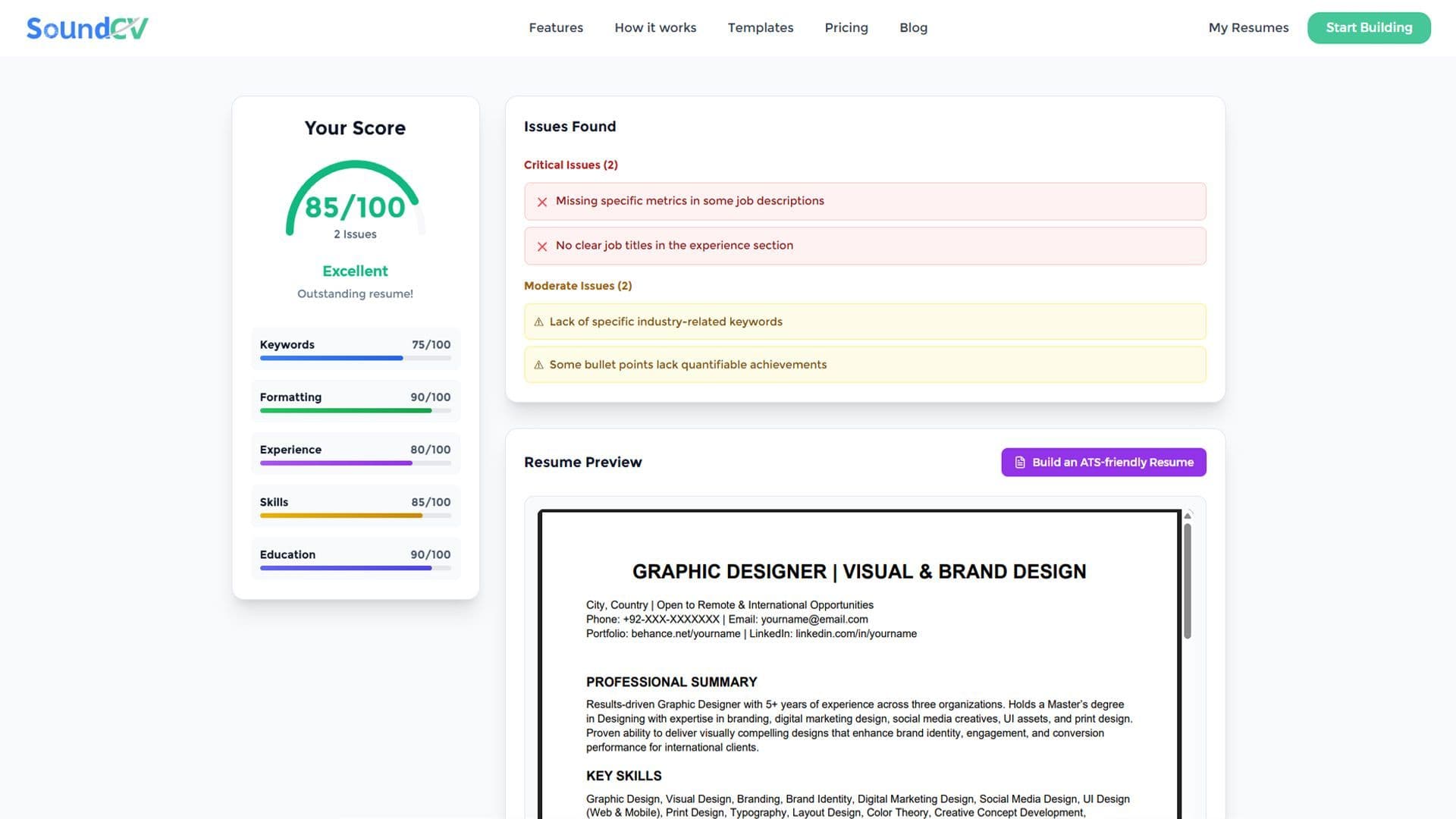
How Does the Sound CV Resume Score Checker Work?
The Sound CV Resume Score Checker analyzes your resume against ATS requirements, job-specific keywords, and structure to provide an instant, actionable score.
What Is a Sound CV? Features, Benefits, and How It Works
A Sound CV is an AI-powered resume that is tailored, ATS-optimized, and designed to showcase your skills and achievements to help you stand out to recruiters.