How to Write an ATS Friendly Resume That Gets Interviews
Write an ATS friendly resume using the right format, keywords, and structure to pass applicant tracking systems and land more interviews.
Overview
Discover how to write an ATS friendly resume that beats automated filters and impresses hiring managers. This guide covers the best ATS resume format, keyword strategies, real ATS resume examples, and step-by-step tips to optimize your resume for applicant tracking systems in 2025.
You spent hours crafting the perfect resume — and still heard nothing. Sound familiar? The hard truth is that most resumes never reach a human recruiter at all. They are blocked by an Applicant Tracking System (ATS), a software tool that filters out resumes before any human sees them. Studies suggest that over 75% of resumes are rejected by ATS before a recruiter ever reads them. Learning how to write an ATS friendly resume is no longer optional it is the single most important skill in your modern job search toolkit.
In this comprehensive guide, you will learn everything you need to know about how to make an ATS friendly resume from choosing the right ATS friendly resume format to placing keywords strategically, structuring your sections correctly, and reviewing real ATS resume examples. Whether you are a fresh graduate or a seasoned professional, this guide will help you build a resume for applicant tracking system filters and land more interviews.
Key Points
• What is an ATS and why does it matter for your job search
• How to choose the best ATS friendly resume format
• Where and how to place keywords for maximum ATS score
• Section-by-section breakdown of an ATS optimized resume
• Real ATS resume examples with do's and don'ts
• Common ATS resume mistakes and how to avoid them
• How to test and improve your ATS score before applying
What Is an ATS and Why Does It Reject Resumes?
An Applicant Tracking System (ATS) is software used by employers to collect, scan, filter, and rank job applications. Large companies like Amazon, Google, and Deloitte — as well as thousands of mid-sized businesses — rely on ATS platforms such as Workday, Taleo, Greenhouse, and iCIMS to manage the flood of applications they receive daily.
When you submit a resume, the ATS parses your document into structured data — name, contact info, work experience, education, skills — and then scores it against the job description. If your resume does not match closely enough, it is automatically filtered out, even if you are perfectly qualified for the role.
Why Resumes Fail ATS Screening
• Using tables, columns, text boxes, or graphics that confuse the parser
• Submitting a PDF when the employer's ATS cannot read PDF formatting
• Missing the exact keywords from the job description
• Using creative section titles like 'My Journey' instead of 'Work Experience'
• Placing contact information in a header or footer that ATS ignores
Choosing the Right ATS Friendly Resume Format
The first step in creating an ATS optimized resume is choosing the right format. Your ATS friendly resume format determines how well the system can read, parse, and score your application. Not all resume formats are created equal when it comes to ATS compatibility.
The 3 Main Resume Formats Compared
Formatting Rules for ATS Compatibility
• Use a single-column layout — avoid two-column designs that confuse the parser
• Choose clean, standard fonts: Arial, Calibri, Times New Roman, or Georgia
• Set font size between 10pt and 12pt for body text; 14–16pt for your name
• Use standard margins (0.5 to 1 inch on all sides)
• Save and submit your file as a .docx format unless the job posting specifies PDF
• Avoid headers and footers — place all content in the main body area
How to Use Keywords in an ATS Friendly Resume
Keywords are the backbone of any ATS optimized resume. ATS software scans your resume for specific words and phrases that match the job description. The closer the match, the higher your score — and the better your chances of reaching a human recruiter. Here is how to make your ATS friendly resume keyword-rich without looking like you are keyword stuffing.
Step 1 — Analyze the Job Description
Read the job posting carefully and highlight every skill, tool, qualification, and responsibility mentioned. Pay special attention to phrases that appear more than once — those are high-priority keywords for that role. For example, if a marketing job posting repeatedly mentions "Google Analytics," "content strategy," and "SEO optimization," those exact phrases must appear in your resume.
Step 2 — Mirror the Exact Language
ATS systems match exact text. If the job posting says "project management" but you wrote "managing projects," many ATS platforms will not register the match. Use the exact terminology from the job description wherever it is truthful and accurate.
Step 3 — Distribute Keywords Naturally
• Include primary keywords in your Professional Summary section
• Use keywords in your Skills section as a dedicated list
• Weave keywords into your Work Experience bullet points with context and results
• Mention technical tools and certifications in a dedicated Technical Skills section
• Aim for a keyword density of 1 to 2% — enough to rank but not spammy
Section-by-Section Breakdown of an ATS Optimized Resume
Knowing how to structure your resume for applicant tracking system compatibility is just as important as keywords. Below is a complete breakdown of every section your ATS optimized resume should include, along with practical guidance and examples.
1. Contact Information
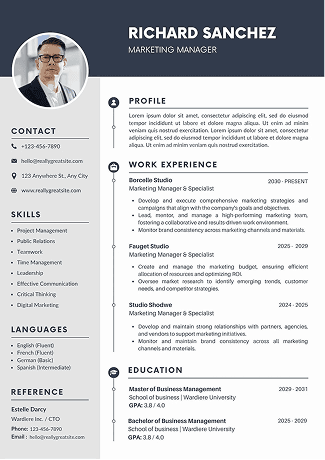
Place your contact details at the very top of the document body — never in a header or footer. Include your full name, phone number, professional email address, LinkedIn profile URL, and optionally your city and state. Do not include a full mailing address (unnecessary in 2025) or a photo (can trigger bias filters).
Example:
Sarah Mitchell | (555) 234-7890 | sarah.mitchell@email.com | linkedin.com/in/sarahmitchell | Chicago, IL
2. Professional Summary
Write a 3 to 5 sentence professional summary that serves as a keyword-dense introduction. This is prime real estate for your most important keywords. Tailor it specifically to each job description you apply to.
Example:
Results-driven Digital Marketing Manager with 7+ years of experience in SEO optimization, content strategy, and Google Analytics. Proven track record of increasing organic traffic by 150% and reducing cost-per-acquisition by 40% through data-driven ATS optimized campaigns. Skilled in HubSpot, Salesforce CRM, and cross-functional team leadership.
3. Skills Section
Create a dedicated Skills section using a simple list or a clean single-column format. Avoid using text boxes or columns here. This section allows ATS to quickly identify and score your hard skills, soft skills, and technical competencies.
4. Work Experience
Your Work Experience section is where keywords do the most heavy lifting. Follow the reverse chronological format and structure each role with: Job Title, Company Name, Location, and Employment Dates — all on clearly separated lines. Under each role, write 4 to 6 bullet points that lead with strong action verbs and include measurable results.
Weak bullet (ATS unfriendly):
Responsible for handling social media for the company.
Strong bullet (ATS optimized):
Managed social media content strategy across LinkedIn and Instagram, growing follower base by 60% and increasing post engagement by 35% within 6 months.
5. Education
List your highest degree first. Include the degree name, institution, and graduation year. If you are a recent graduate, you can include relevant coursework or a GPA above 3.5. Use full degree titles — "Bachelor of Science in Computer Science" not "B.S. CS" — because abbreviations may not be parsed correctly by ATS.
ATS Resume Examples: What Works and What Does Not
Looking at concrete ATS resume examples is one of the best ways to understand what separates a resume that passes through ATS filters from one that gets rejected. Here are two versions of the same candidate profile to illustrate the difference.
ATS Resume Example Rejected Version
• Used a stylish two-column layout with a graphic sidebar
• Placed contact info inside a designed header box
• Wrote 'My Expertise' instead of 'Skills'
• Used icons and decorative lines to separate sections
• Listed skills in a text box that ATS cannot parse
• No quantified achievements — only vague duty descriptions
ATS Resume Example Accepted Version
• Clean single-column layout with standard margins
• Contact info placed in the main document body
• Standard section headers: Summary, Skills, Experience, Education
• Keywords from job description naturally woven into bullet points
• Each bullet starts with an action verb and includes measurable results
• Saved as .docx for maximum ATS parsing compatibility
Common ATS Mistakes to Avoid in 2025
Even experienced professionals make critical errors when building a resume for applicant tracking system evaluation. These are the most common and damaging ATS resume mistakes and exactly how to fix each one.
How to Test Your ATS Resume Score Before Applying
Before you click submit on any job application, you should always test your ATS optimized resume against the specific job description. Here is a simple process you can follow to evaluate and improve your resume's ATS score.
Step-by-Step ATS Resume Testing Process
• Step 1: Copy the full job description into a word frequency tool to identify the most repeated keywords
• Step 2: Compare those keywords against your current resume draft
• Step 3: Use a free ATS resume checker tool such as Jobscan, Resume Worded, or SoundCV to run an automated ATS compatibility scan
• Step 4: Review the score and suggestions aim for at least 75% match before submitting
• Step 5: Add any missing high-priority keywords to your Summary, Skills, or Experience sections in a natural context
• Step 6: Re-run the scan to verify your updated score before applying
Quick Checklist: Is Your Resume ATS Friendly?
• Single-column layout with no tables, text boxes, or graphics
• Standard section headers (Summary, Skills, Experience, Education)
• Contact information in the main body not in a header or footer
• Clean, readable font at 10–12pt body size
• Job-specific keywords placed in Summary, Skills, and Experience
• Bullet points starting with action verbs and including quantified results
• File saved as .docx (or clean PDF if explicitly required)
• Tailored to the specific job description not a generic template
Conclusion
Knowing how to write an ATS friendly resume is the difference between being invisible to employers and landing the interviews you deserve. The process comes down to four key pillars: choosing the right ATS friendly resume format, placing keywords strategically with the right density, structuring each section with standard, recognizable headers, and tailoring your resume to every job description before you apply.
The good news is that once you understand how a resume for applicant tracking system evaluation works, the process becomes repeatable. You are not just writing one resume — you are building a flexible, keyword-rich master document that you can quickly tailor to any role in minutes.
Remember: ATS is the first filter, but not the last. A resume that passes ATS must still impress a human recruiter. So balance optimization with readability — write for both the machine and the person who will ultimately decide whether to call you.
Ready to build your ATS optimized resume? Try SoundCV today — our AI-powered resume analyzer scans your resume against real job descriptions, gives you an ATS score in seconds, and shows you exactly which keywords to add. Start for free at SoundCV.com and turn your resume into an interview-generating machine.
FAQs
Frequently asked questions about this topic
Related Blogs
Explore more insights and guides you might like.
CV vs Resume vs Biodata – The Complete Difference Guide
Learn the key differences between a CV, resume, and biodata and discover which one to use for your next job application.

Resume for Internship: How to Make a CV That Gets You Hired
Learn how to make a CV for an internship with this easy step-by-step guide. Perfect for freshers looking to create a strong first impression.
CV Font Style: CV Guide with Templates (2026) | Best Font Style for Resume
Choose the best CV font style for 2026. Improve readability, ATS compatibility, and create a professional resume that stands out instantly.
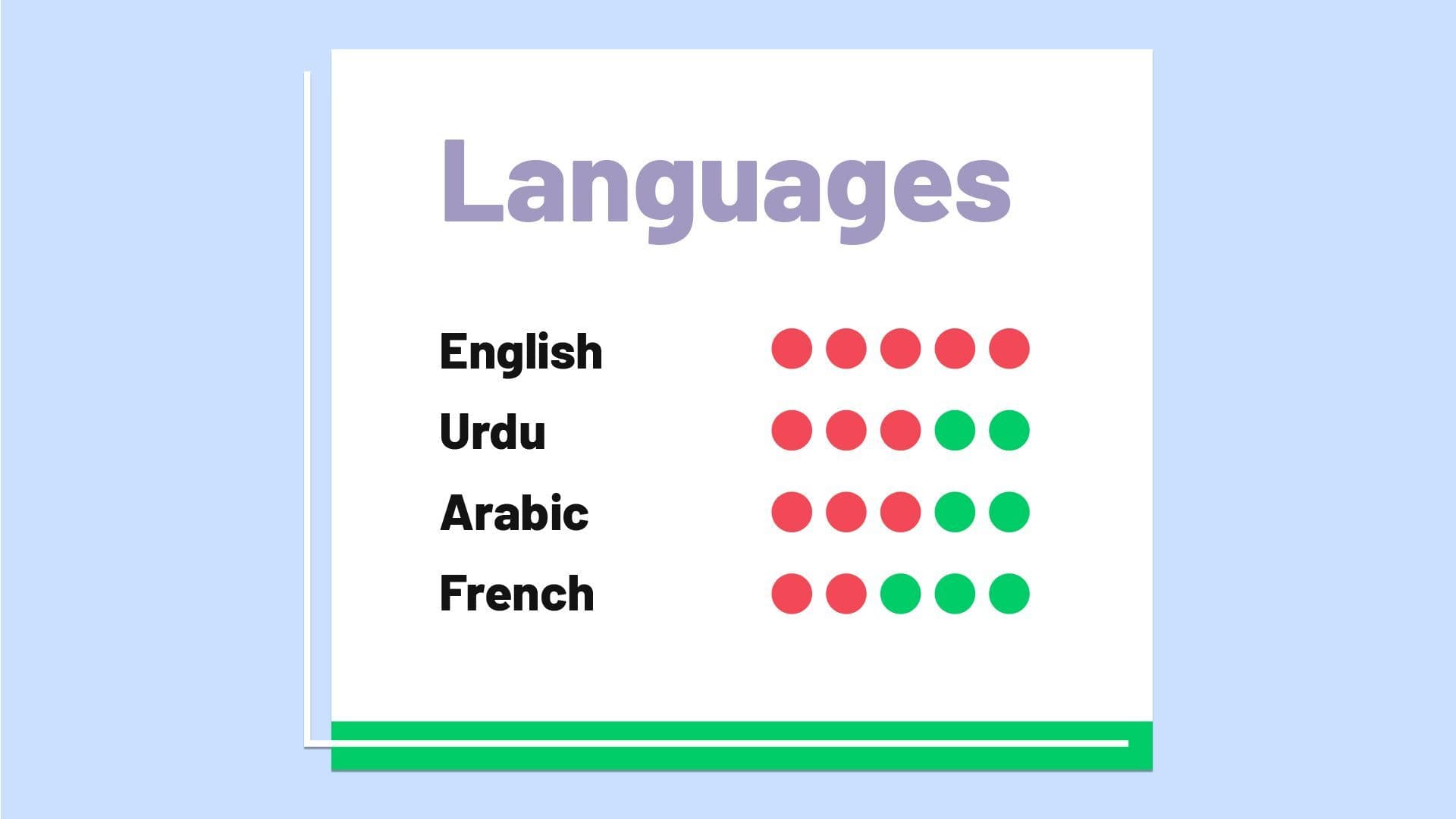
Languages Known in CV: CV Guide with Templates & Examples (2026)
Learn how to list Languages Known in your CV the right way in 2026. This guide covers proficiency levels, examples, and ready-to-use templates to help you present your language skills professionally and make your CV stand out.
Free CV Creator Online – Build a Professional CV in Minutes
Create a professional CV online in minutes using free tools with ATS-friendly templates, easy editing, and instant download options.
What Is a Hybrid CV? Format, Benefits & Writing Tips (Complete Guide)
A hybrid CV combines skills and work history, helping professionals showcase strengths clearly while remaining ATS-friendly and appealing to recruiters.