Reverse Chronological Resume Format Guide (2026)
Learn how to structure a reverse chronological resume format that highlights career growth, achievements, and ATS-friendly organization.
Overview
Discover how to write a reverse chronological resume format that recruiters trust. This guide covers structure, examples, templates, expert tips, ATS optimization strategies, and when to use this format to maximize your interview success rate.
The reverse chronological resume format lists your work experience from your most recent job to your oldest, and it is the layout recruiters expect to see. If you want the safest, most widely accepted resume format in 2026, this is it. It is the format most career experts recommend by default, and almost every applicant tracking system is built to read it cleanly. This guide shows you how to write a chronological resume and when to use it. It also compares the format to the functional and combination layouts, and gives you a copy and paste template plus a full annotated example.
One quick clarification before you start. The "reverse chronological resume format" and the "chronological resume format" are the same thing. Both list your roles newest first. The word "reverse" just spells out the direction. So when a job posting asks for a chronological resume, this reverse chronological order resume is what they mean.
What Is a Reverse Chronological Resume Format?
A reverse chronological resume organizes your work history in reverse order, starting with your current or most recent position and working backward through your career. Each role shows your job title, the company, the dates you worked there, and a short list of achievements.
This resume layout puts your career progression front and center. A recruiter reading top to bottom sees your latest, most relevant experience first, then watches your responsibilities grow as they scan down the page. That single design choice is why this remains the best resume format for most job seekers.
Key Characteristics
- Newest first: Your most recent job sits at the top of the experience section.
- Date-led: Every role carries clear start and end dates so the timeline is obvious.
- Experience-heavy: Work history is the largest section, not skills or summaries.
- ATS-safe: The predictable structure parses cleanly, which makes it a reliable ats resume format.
- Recruiter-friendly: It matches the exact pattern hiring managers are trained to read.
Why Recruiters Prefer the Reverse Chronological Resume Format
Recruiters spend an average of 7 seconds on a first resume scan. In that window they want one thing: proof you can do the job now. The reverse chronological resume format hands them that proof immediately by leading with your latest role.
1. It Aligns With ATS Systems
An applicant tracking system reads a resume by looking for predictable sections in a predictable order. Contact details, then experience with dates, then education, then skills. Because the chronological resume format follows that exact pattern, the parser maps every field correctly. Functional layouts that hide dates often get scrambled or rejected before a human ever sees them.
2. It Shows Career Progression
When your roles run newest to oldest, your growth tells its own story. A reader sees you move from coordinator to manager to director without reading a single explanation. That visible employment history builds a stronger case than any summary line.
3. It Highlights Recent Experience
Your most recent job is usually your most relevant. Leading with it means the first thing a recruiter reads is also the most useful thing for the role you want. Older positions still appear, but they support the headline rather than compete with it.
4. It Builds Trust
Clear dates and a continuous timeline signal that you have nothing to hide. Hiring managers are wary of formats that bury dates, because those layouts are often used to mask gaps or job hopping. A clean reverse chronological order resume reads as honest and easy to verify.
When to Use a Chronological Resume Format
This format is the default for a reason, but knowing when to use a chronological resume helps you confirm it fits your situation.
Ideal For
- Professionals with a steady work history in one field.
- Anyone applying to a role in the same industry as their current job.
- Candidates whose recent titles show clear upward movement.
- Job seekers targeting companies that screen with an ATS, which is nearly all of them.
- Experienced applicants who want to lead with brand-name employers or senior roles.
Less Ideal For
- People with large, unexplained employment gaps in the last few years.
- Career changers whose most recent role does not match the target job.
- First-time job seekers with little or no formal work history.
If one of those describes you, the format is not off the table. You can still use it with small adjustments, which we cover in the employment gaps section below. Many freshers and career changers reach for the combination resume format instead, and we compare all three next.
Chronological vs Functional vs Combination Resume Format
There are three main types of resume formats. The reverse chronological format is one of them. The other two are the functional resume format and the combination resume format, also called the hybrid resume format. Here is how they differ at a glance.
| Factor | Reverse Chronological | Functional Resume | Combination Resume |
|---|---|---|---|
| Leads with | Work experience, newest first | Skills and abilities | Skills summary, then work history |
| Best for | Steady career in one field | Career changers, large gaps | Senior roles, mixed backgrounds |
| Shows dates clearly | Yes | Often hidden | Yes, after skills |
| ATS-safe | Very high | Low to medium | Medium to high |
| Handles gaps well | Moderate | Strong | Strong |
| Recruiter preference | Highest | Lowest | Medium |
The takeaway is simple. In a chronological vs functional resume comparison, the reverse chronological resume format wins on ATS safety and recruiter preference, which is why it suits most people. A functional resume helps when you need to downplay a timeline, but it carries real risk because many recruiters distrust it. A combination resume sits in the middle and works well for senior candidates with a strong skills story. For a deeper breakdown of which layout fits each career stage, read our guide to the most effective resume format in 2026.
How to Write a Chronological Resume Step by Step
A chronological resume has five core sections, plus optional extras. Build them in this order and you will have a clean, ATS-ready document. These are the chronological resume sections every recruiter expects to find.
1. Contact Information
Put your name, phone number, professional email, city and state, and LinkedIn or portfolio link at the top. Skip your full street address and date of birth. Keep this block to three or four lines so it does not push your experience down the page.
2. Professional Summary
Write two or three sentences that name your job title, your years of experience, and one measurable result. A strong professional summary reads like this: "Operations manager with 8 years of experience cutting fulfillment costs by 22% across two distribution centers." Avoid generic claims and lead with a number.
3. Work Experience
This is the core of the format, so give it the most space. List each role newest first. For every job, show your title, the company name, the location, and the employment dates. Under each role, add three to five bullet points that start with an action verb and include a quantifiable achievement.
Here is how to list work experience on a resume so it carries weight:
- Weak: Responsible for managing the sales team.
- Strong: Led a 12-person sales team to 134% of annual quota, adding $1.8M in new revenue.
The strong version names the scope, the result, and the number. Recruiters and the ATS both reward that specificity. Use past tense for previous roles and present tense for your current one.
4. Education
List your degrees in reverse chronological order too, newest first. Include the degree, the institution, and the graduation year. Recent graduates can place this section above experience and add relevant coursework, honors, or GPA if it is strong. Experienced professionals keep it short and below the work history.
5. Skills
Add a focused skills section with 8 to 12 abilities that match the job description. Mix hard skills like "SQL" or "budget forecasting" with the tools you use daily. Mirror the exact wording from the posting where it is true, because the ATS often matches on exact phrases.
Optional Sections
Depending on your field, you can add certifications, projects, publications, volunteer work, or languages. Only include sections that strengthen your case for this specific role. A relevant certification can outrank an extra bullet point.
Reverse Chronological Resume Example
Here is a short annotated chronological resume example for a mid-level professional. Notice how each role leads with a title and dates, and how every bullet carries a number.
Jordan Reyes
Marketing Manager, Austin, TX
jordan.reyes@email.com, (512) 555-0148, linkedin.com/in/jordanreyes
Professional Summary
Marketing manager with 7 years of experience growing organic traffic and pipeline for B2B software companies. Increased qualified leads by 61% in one year through content and lifecycle campaigns.
Work Experience
Marketing Manager, BrightPath Software, Austin, TX (2022 to Present)
- Grew organic traffic from 40K to 110K monthly sessions in 18 months.
- Launched a lifecycle email program that lifted trial-to-paid conversion by 28%.
- Managed a $480K annual budget across paid and content channels.
Marketing Specialist, NorthLoop Media, Dallas, TX (2019 to 2022)
- Produced 90 SEO articles that drove 35% of total inbound leads.
- Cut cost per lead by 19% by reallocating spend to high-intent keywords.
Education
B.A. in Communications, University of Texas at Austin, 2019
Skills
SEO, content strategy, Google Analytics, HubSpot, paid media, A/B testing, copywriting, budget management
This example shows the reverse chronological resume format in action: newest role first, clear dates, and results expressed as numbers. You can build a version like this in minutes with the SoundCV AI resume builder, which fills in your sections based on your job history and keeps the structure ATS-safe.
Reverse Chronological Resume Template You Can Copy
Use this plain text reverse chronological resume template as a starting point. Copy it, replace the placeholders, and you have a working draft. Unlike most templates, this one is not locked behind a download, so you can paste it straight into your editor.
[Full Name]
[Job Title], [City, State]
[Email], [Phone], [LinkedIn or Portfolio]

PROFESSIONAL SUMMARY
[Title] with [X] years of experience in [field]. [One measurable result].

WORK EXPERIENCE
[Job Title], [Company], [City, State]   [Start] to [End]
- [Action verb] [task] that [result with number].
- [Action verb] [task] that [result with number].
- [Action verb] [task] that [result with number].

[Previous Job Title], [Company], [City, State]   [Start] to [End]
- [Action verb] [task] that [result with number].
- [Action verb] [task] that [result with number].

EDUCATION
[Degree], [Institution], [Year]

SKILLS
[Skill], [Skill], [Skill], [Skill], [Skill], [Skill]
If you want a designed version instead of plain text, browse the SoundCV resume templates. Every template uses a single-column, ATS-friendly chronological resume layout so your formatting never trips up a parser. For more on layout choices, see our take on the chronological resume format in detail.
Is the Chronological Resume Format ATS Friendly?
Yes, and it is the safest choice for getting past an applicant tracking system. The chronological resume format is ATS friendly because it uses the section order and date structure that parsers are built to read. To keep your ats resume format clean, follow this checklist.
- Use a single column. Multi-column layouts and text boxes often parse out of order.
- Stick to standard headings. Use "Work Experience," "Education," and "Skills" so the ATS recognizes each block.
- Keep dates in a consistent format. Use "Jan 2022 to Present" on every role.
- Avoid tables, images, and graphics for your core content. Many systems cannot read them.
- Save as a PDF or Word file as the posting requests. If you are unsure which to send, read our guide on PDF vs Word resume format.
- Use a standard font like Calibri, Arial, or Georgia at 10 to 12 points.
- Mirror keywords from the job description in your skills and experience sections.
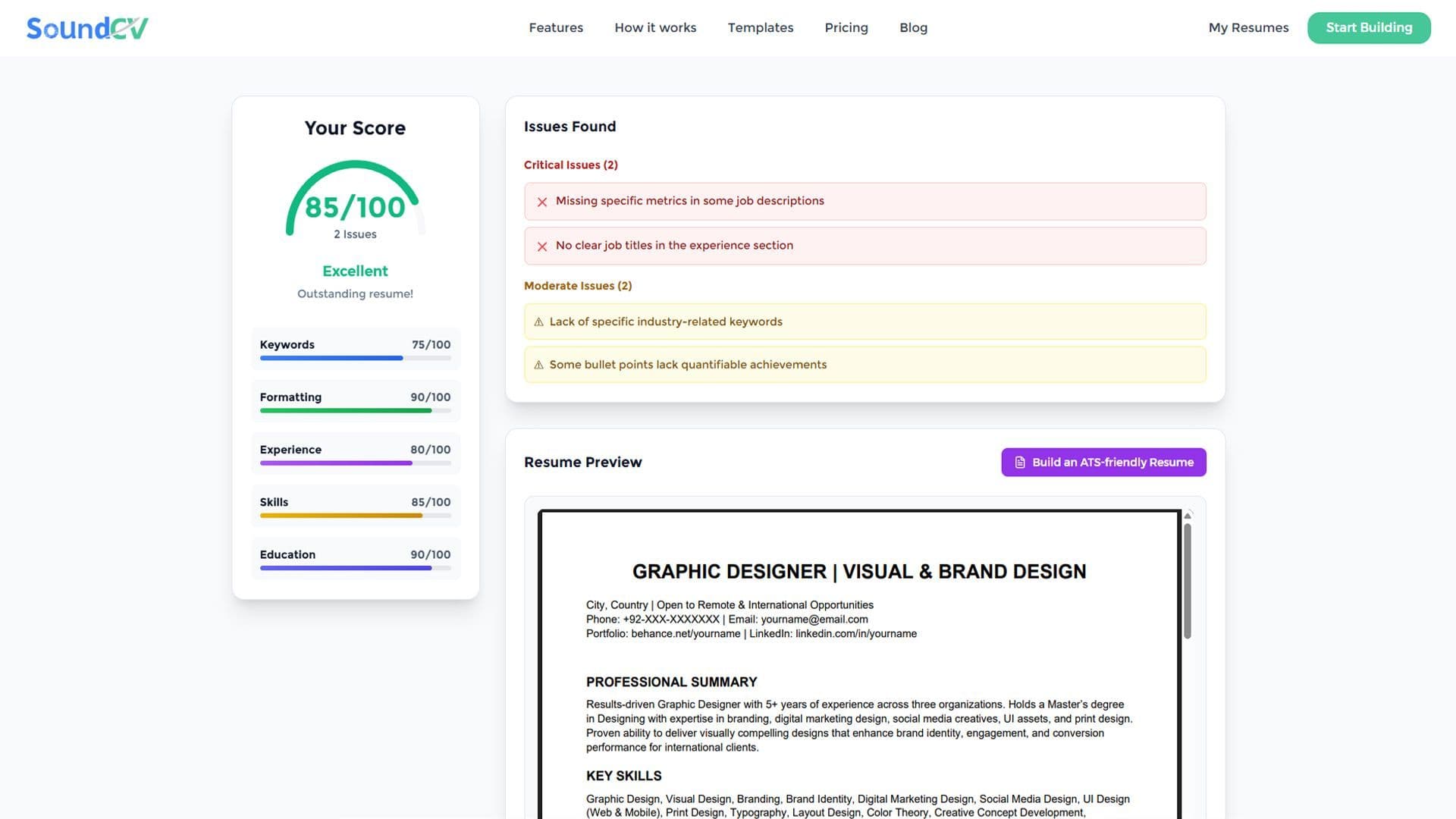
Want to know if your draft passes? Run it through the SoundCV resume score checker to see your ATS score and a list of the exact keywords recruiters are filtering for. It scores your resume against ATS rules and shows what to fix before you apply.
How to Handle Employment Gaps and Job Hopping
The reverse chronological resume format shows your timeline plainly, which means gaps are visible. That is not a reason to abandon the format. It is a reason to frame the gaps well.
- Use years instead of months for older roles to smooth over short gaps, for example "2019 to 2021."
- Account for time away with a brief line such as "Career break for caregiving, 2021 to 2022," which reads as honest.
- Add freelance or volunteer work that filled the gap as its own dated entry.
- Lead with a strong summary so the recruiter reads your value before they reach the dates.
If your gaps are large and recent, a combination resume can soften the timeline by opening with a skills summary. But for most people, an honest chronological layout still outperforms a format that looks like it is hiding something.
Common Mistakes to Avoid
Even with the right format, small errors cost interviews. Avoid these.
1. Listing Duties Instead of Achievements
"Responsible for customer support" tells a recruiter nothing. "Resolved 50+ tickets daily while keeping a 96% satisfaction score" shows impact. Every bullet should prove a result, not just name a task.
2. Leaving Out Numbers
Quantifiable achievements make your experience credible. Add percentages, dollar amounts, team sizes, and timeframes wherever you can. A resume with numbers reads as evidence, not opinion.
3. Inconsistent Date Formatting
Switching between "March 2022," "03/2022," and "2022" looks careless and can confuse the ATS. Pick one format and use it on every role and degree.
4. Including Irrelevant Old Jobs
You do not need 15 years of history. Focus on the last 10 to 15 years and the roles that support your target job. A part-time job from a decade ago rarely earns its space.
5. Not Tailoring for Each Application
A generic resume underperforms. Adjust your summary, skills, and top bullets to match each job description. The closer your wording matches the posting, the better your ATS match rate.
How to Make Your Reverse Chronological Resume Stand Out
Once the structure is right, these refinements lift your resume above the stack.
Quantify Everything
Turn vague statements into measured ones. "Improved efficiency" becomes "cut processing time by 30%." Numbers give recruiters a reason to keep reading.
Tailor Your Keywords
Read the job description and weave its key terms into your experience and skills naturally. This raises your match score without keyword stuffing.
Keep It Concise
One page is ideal for most candidates, two pages for senior professionals. If you are deciding, our single page resume format guide helps you trim without losing impact.
Use Strong Action Verbs
Start bullets with verbs like led, built, launched, reduced, and scaled. Action verbs make your contributions sound active and owned.
Chronological Resume for Freshers and Career Changers
If you are new to the workforce, you can still use this format, and the best resume format for freshers still follows this structure. Place your education above your experience, then list internships, projects, and part-time roles in reverse chronological order. Lead with coursework and achievements that map to the job. For a tailored walkthrough, see our guide to an ATS-friendly resume for freshers.
Career changers can keep the chronological structure while reframing the summary and skills to point at the new field. Highlight transferable wins in your most recent role, and the format still works in your favor.
Reverse Chronological Resume Layout and Formatting Rules
The right content fails if the chronological resume layout is messy. Layout is what the recruiter sees in the first second and what the parser reads in the first pass. Keep it clean with these rules.
- Margins: Use 0.5 to 1 inch on all sides so the page breathes without wasting space.
- Section order: Contact, summary, work experience, education, skills. This is the order both recruiters and an ATS expect.
- Consistent spacing: Use the same spacing between every role and section so the page reads as one document, not three.
- Bold for titles: Bold your job titles and company names so a scanning reader can follow your timeline fast.
- Reverse order everywhere: Apply reverse chronological order to experience, education, and certifications, not just the main section.
- No headers or footers for key details. Some parsers ignore them, so keep your name and contact in the body.
A consistent layout signals attention to detail before a recruiter reads a single bullet. It also keeps your reverse chronological order resume parsing correctly across different ATS platforms, which use slightly different rules.
Best Resume Format for Experienced Professionals
For mid-career and senior candidates, the reverse chronological format is almost always the best resume format. Your recent roles carry the most weight, and this layout puts them first. Here is how to tune it as your experience grows.
- Lead with scope and scale. In your top role, name the team size, the budget, and the business outcome you owned.
- Trim early-career detail. Older roles need one or two lines, not five bullets. Keep the focus on the last 10 years.
- Show promotions clearly. If you rose within one company, stack the titles under that employer to make your growth obvious.
- Add a senior summary. Open with a three-line summary that frames your level and your signature result.
Experienced applicants can run to two pages when the content earns it. Just make sure page one carries your strongest, most recent work, because that is what gets read first.
Tailoring Your Chronological Resume by Industry
The structure stays the same across fields, but the emphasis shifts. A reverse chronological resume for a software engineer leans on projects, tools, and measurable system improvements. The same format for a sales professional leads with quota attainment and revenue numbers. For a healthcare role, certifications and patient outcomes move higher.
Whatever your field, read the job description first and let it set your priorities. Move the most relevant section up, mirror the posting language in your skills, and lead each role with the achievement that matches what the employer is hiring for. The format gives you a reliable frame, and your tailoring fills it with the right proof.
How Many Jobs Should You List in This Format?
List enough roles to show a clear story, but not your entire history. For most people that means the last three to five jobs, covering 10 to 15 years. Older roles can be summarized in a short "Earlier Experience" line with titles and companies only, no bullets.
If you are early in your career, two or three roles plus internships are plenty. The goal is relevance, not volume. A focused reverse chronological resume that shows growth beats a long one that buries your best work under outdated positions. When a role no longer supports your target job, drop it.
Pre-Submit Checklist for Your Reverse Chronological Resume
Before you send your resume, run this final check. It catches the errors that cost interviews and confirms your reverse chronological resume template is ready.
- Your most recent job sits at the top of the experience section.
- Every role shows a title, company, location, and consistent dates.
- Each bullet starts with an action verb and includes at least one number.
- The summary names your title, your years of experience, and one key result.
- Section headings are standard: Work Experience, Education, Skills.
- The layout is single-column with no tables or graphics in the core content.
- Skills mirror the exact keywords from the job description where true.
- The file is saved in the format the posting requests, PDF or Word.
- There are no typos, and the dates have no unexplained gaps.
Tick every box and your resume is ready to compete. Run it through a resume score checker for one last confidence pass, then apply.
Final Thoughts
The reverse chronological resume format is the most trusted, ATS-safe, and recruiter-preferred layout you can use in 2026. It leads with your most recent experience, shows your career progression at a glance, and parses cleanly through every major applicant tracking system. Build it with five clear sections, quantify your results, and tailor it to each role.
Ready to build yours the right way? Use the SoundCV AI resume builder to create a clean reverse chronological resume in minutes, then check your resume score free to confirm it will pass the ATS before you hit apply.
FAQs
Frequently asked questions about this topic
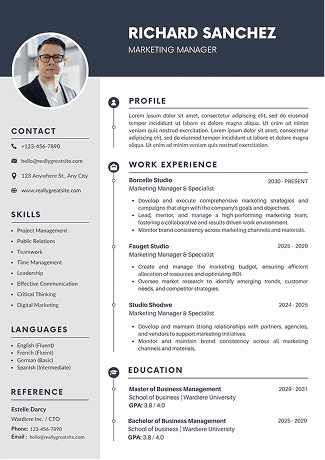
Related Blogs
Explore more insights and guides you might like.
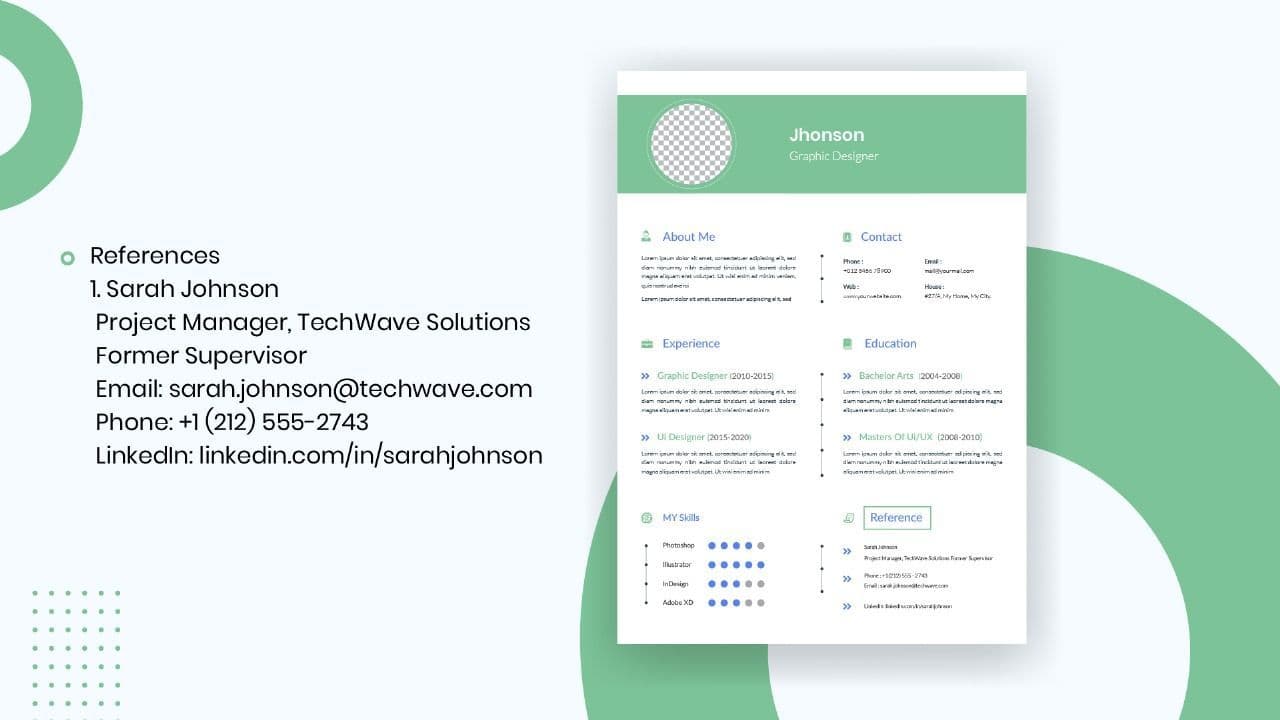
How to List References on a Resume in 2026
Learn the modern 2026 approach to listing references on your resume for maximum professionalism and recruiter impact.

Is Sound CV good for students and fresh graduates with no experience?
Sound CV is perfect for students and fresh graduates, helping them create professional resumes that highlight skills, projects, and potential even with little or no work experience.
Why Sound CV Is Different from Other AI Resume Builders
Sound CV stands out by creating job-focused, ATS-friendly resumes that highlight real achievements, not just generic content.
Resume Format for HR Job: Professional Guide and Sample Templates
A complete guide to the best resume format for HR jobs, with expert tips and sample templates to help you create a professional and job-ready resume.
How Does the Sound CV Resume Score Checker Work?
The Sound CV Resume Score Checker analyzes your resume against ATS requirements, job-specific keywords, and structure to provide an instant, actionable score.

What Is a Sound CV? Features, Benefits, and How It Works
A Sound CV is an AI-powered resume that is tailored, ATS-optimized, and designed to showcase your skills and achievements to help you stand out to recruiters.