The chronological resume format organizes work history from the most recent job to older roles. It helps employers quickly review your career growth, making it ideal for candidates with consistent experience in one field. This guide explains when to use it, the correct structure, a free editable template, and pro tips to improve your resume and boost hiring chances.
When it comes to creating a professional resume that impresses recruiters, the chronological resume format remains one of the most popular and widely accepted structures. It’s clean, clear, and highlights your professional growth over time making it ideal for candidates with a consistent career history.
In this guide, you’ll learn what the chronological resume format is, how it differs from the reverse chronological resume format, when to use it, and how to craft one with our free template and expert tips.
Key Points
The chronological resume format highlights work experience in order, usually starting with the most recent job.
It is best for candidates with a steady career path and relevant industry experience.
Employers prefer it because it clearly shows growth, stability, and qualifications.
It differs slightly from a strict chronological layout, but modern use refers to listing recent jobs first.
Ideal when applying for similar roles or roles where recent experience matters most.
Avoid this format if you have major job gaps or are switching careers.
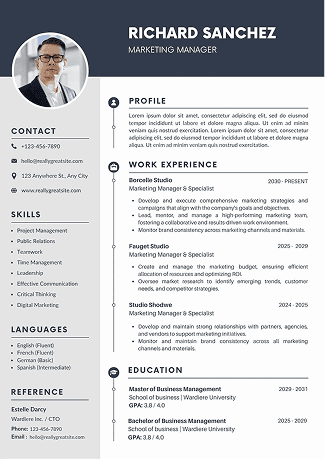
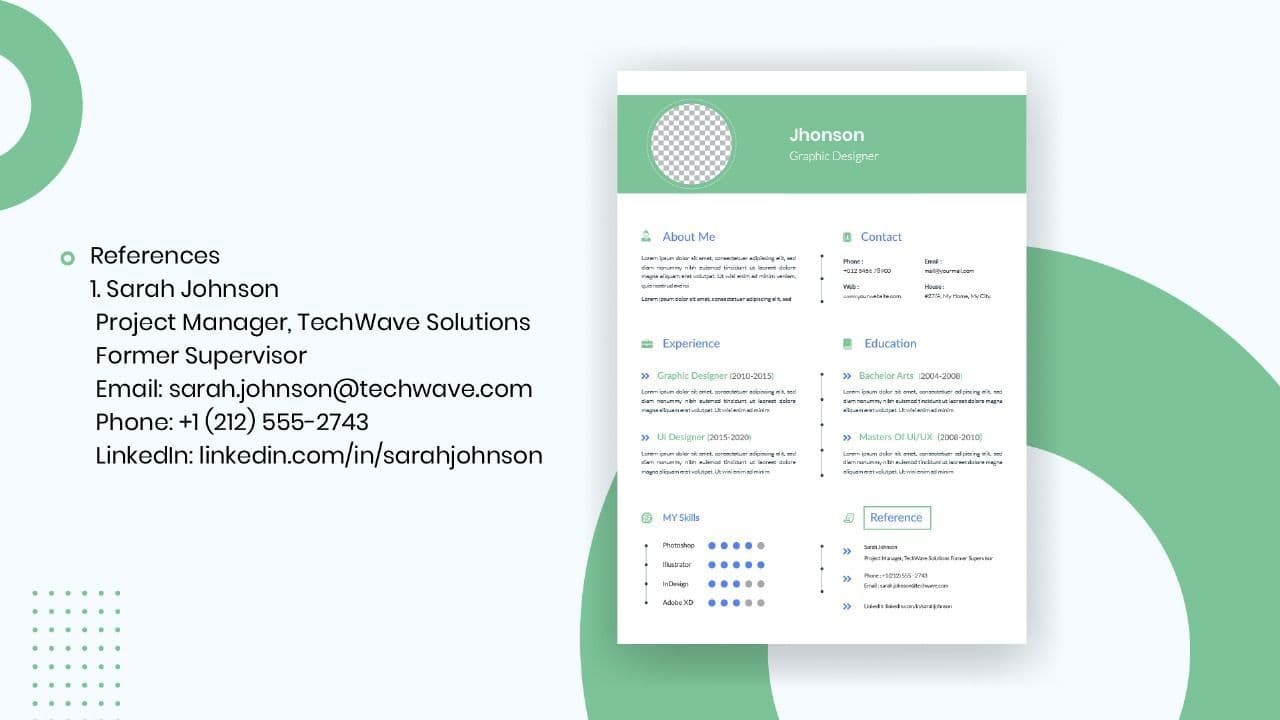
A proper structure includes: Header, Summary, Work Experience, Education, Skills, Optional Certifications/References.
Use action verbs, quantify achievements, and tailor your resume to each job posting.
Keep it clean, consistent, ATS-friendly, and in PDF format before sending.
Avoid mistakes like missing dates, irrelevant details, inconsistent formatting, and personal information.
What Is a Chronological Resume Format?
The chronological resume format is a style of organizing your resume that lists your work experience in order of time, usually starting with your most recent job and moving backward.
This structure allows hiring managers to quickly see your career progression, stability, and experience level. It’s also the preferred layout among employers because it’s straightforward and easy to scan during the initial screening process.
Think of it as telling your professional story in reverse beginning with where you are now and showing how you arrived there.
The chronological CV format is ideal for candidates with a steady work history and clear upward career movement. It focuses on showcasing your employment record rather than just your skills.
Here’s why this format works so well:
Easy to follow: Employers can instantly view your career journey.
Emphasizes experience: It highlights your growth and stability.
ATS-friendly: Applicant Tracking Systems (ATS) read chronological structures effectively.
Professional appeal: It’s the standard layout used by most corporate job seekers.
If you’ve worked in one field for several years or moved up in similar roles, this resume format makes your professional development shine.
Chronological Resume Format vs Reverse Chronological Format
While the terms are sometimes used interchangeably, there’s a subtle but important distinction between the chronological and reverse chronological resume format.
Aspect
Chronological Resume Format
Reverse Chronological Resume Format
Order of Jobs
Lists experience starting from the earliest job to the latest.
Lists experience starting from the most recent job to the earliest.
Focus
Shows your career growth over time.
Highlight your most recent role and achievements first.
Use Case
Suitable for long-term employees or academic CVs.
Best for job seekers with strong recent experience or promotions.
In modern job markets, when people say “chronological resume,” they often mean reverse chronological format, since it displays the latest job first the format most recruiters expect.
When to Use the Chronological Resume Format
You should use the chronological CV format if:
You have a consistent work history with few employment gaps.
You’re applying for jobs in the same industry or role.
You want to highlight your career progression.
Your recent experience is highly relevant to the job you’re applying for.
Avoid this format if you’re switching careers or have large gaps in employment in such cases, a functional or combination resume format might be better suited.
Results-driven [Your Job Title] with [X] years of experience in [Industry/Field]. Skilled in [Key Skills] and recognized for [Key Achievement]. Seeking to contribute to [Target Company] by leveraging expertise in [Specific Area].
Follow these resume writing tips to make your chronological resume format stand out:
Tailor Your Resume to Each Job
Adjust your summary and keywords according to the job description.
Use Action Verbs
Begin each bullet with strong verbs like led, managed, developed, achieved, or increased.
Quantify Achievements
Add numbers and results to show impact for example, “Boosted sales by 30% in one quarter.”
Keep It One Page (If Possible)
Recruiters spend an average of 7 seconds per resume. Keep it concise and to the point.
Avoid Irrelevant Details
Only include roles and achievements that relate to the job you’re applying for.
Maintain Consistent Formatting
Use uniform fonts, spacing, and bullet styles throughout the document.
Highlight Promotions or Progression
Showcase your career growth to demonstrate reliability and value.
Include Keywords for ATS
Mirror terms from the job posting to pass through applicant tracking systems.
By following these pro tips, your reverse chronological resume format will look organized, keyword-optimized, and ready for both human readers and ATS software.
Common Mistakes to Avoid When Creating Chronological Resume
Even the best professionals make errors in their resumes. Avoid these pitfalls:
Listing jobs without dates.
Using inconsistent tense or formatting.
Including personal information like age or marital status.
Overstuffing your resume with keywords.
Forgetting to proofread for grammar or typos.
Conclusion
A well-crafted chronological resume format showcases your experience, growth, and reliability qualities every employer values. By following the correct structure, using the free template, and applying the pro tips above, you can create a professional resume that gets noticed. Build your resume with Sound CV to increase your chances of landing the right job opportunity.
FAQs
Frequently asked questions about this topic
Upgrade your resume in minutes
Use this AI resume builder to create an ATS resume and get more interviews.