Kickresume Review 2026: Is It Really the Best Free Resume Builder?
We tested Kickresume hands-on for 14 days free plan, AI tools, ATS checker, pricing, and hidden limitations. Our honest 2026 review covers everything before you sign up.
I'll be honest I went into this expecting Kickresume to live up to the hype. Forbes named it the best resume builder overall. It has a 4.6 on Trustpilot. People on Reddit swear by it. So I signed up, spent two weeks actually building resumes on it, and hit every limitation you can hit on the free plan.
Here's what nobody tells you upfront: Kickresume's free plan is not really free not if you actually need a resume you can send to employers. And the paid plan, depending on which tier you pick, might not be worth $24 a month when you look at what else is out there in 2026.
This isn't a sponsored review. No affiliate links. I'm going to walk you through the whole thing what works, what doesn't, where the hidden walls are, and whether you should use it at all.
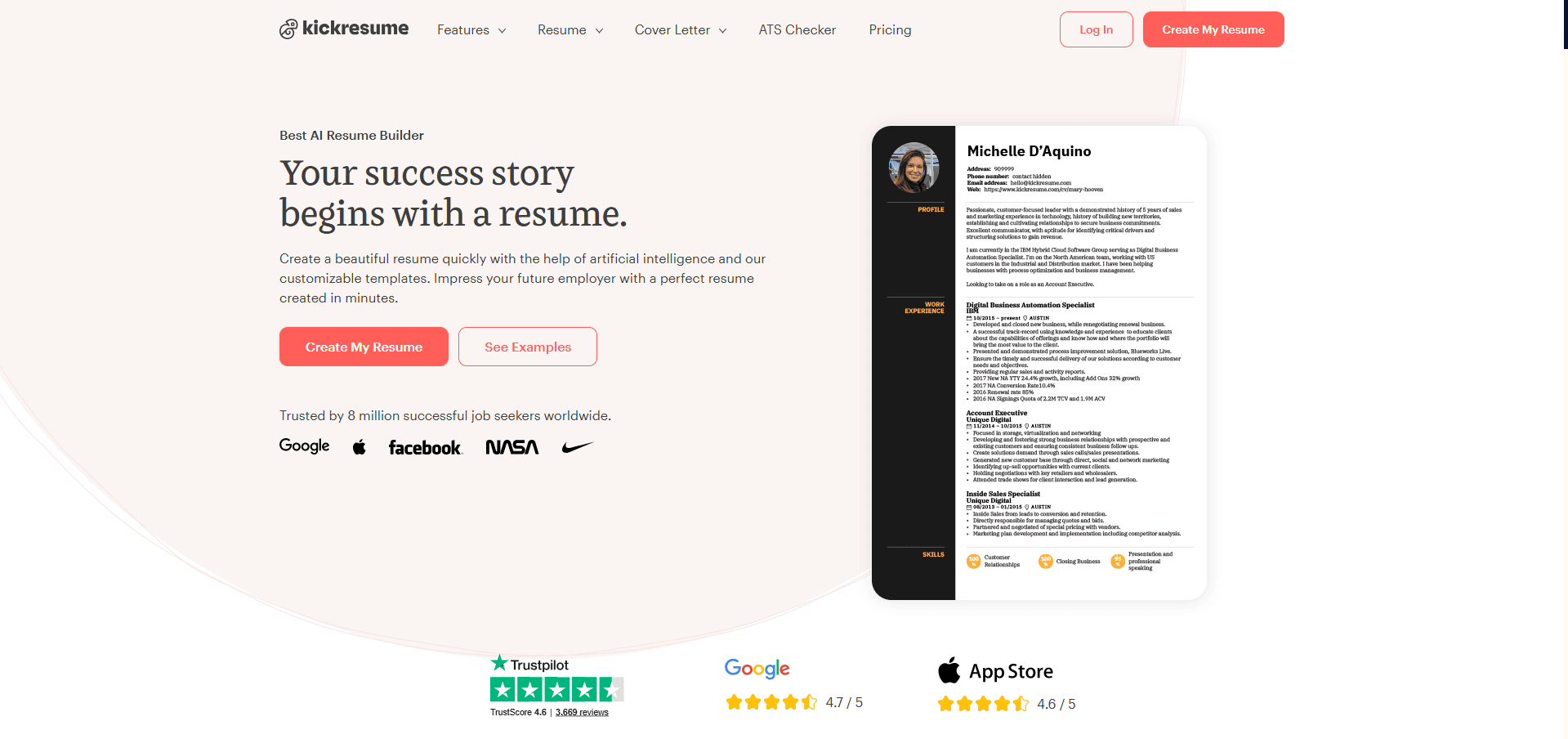
First Impressions: Looks Great, Feels Crowded
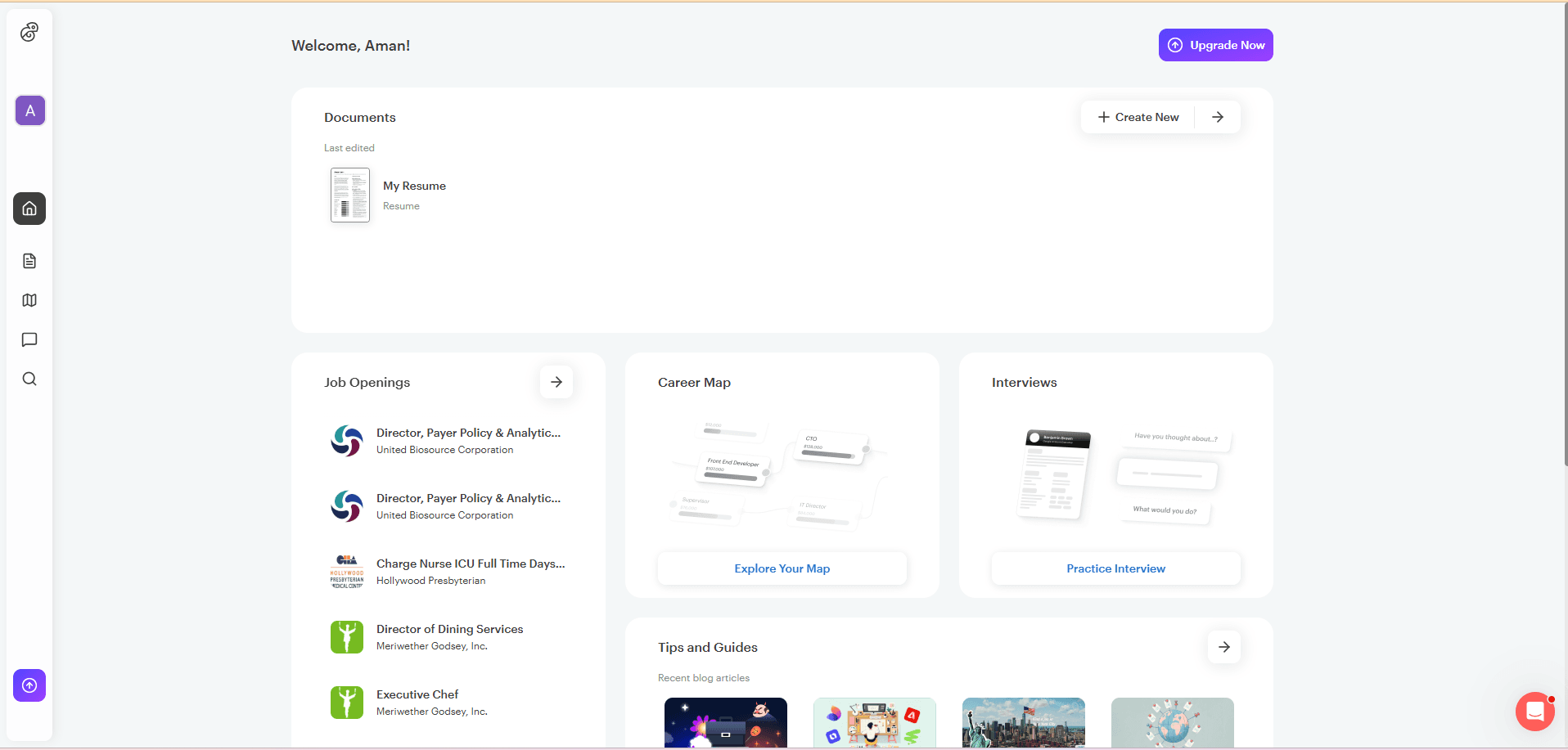
You can't browse Kickresume without making an account. That's the first thing you notice there's no "try before you sign up." You have to commit first. Once you're in, the dashboard throws everything at you at once: your documents, a job board, something called Career Map, interview prep, a resume checker, a personal website builder. It's a lot.
If you've been building resumes for years, that might feel exciting. If you're a student sitting down to write your first CV, it's genuinely confusing. There's no "start here" prompt. You're just dropped in.
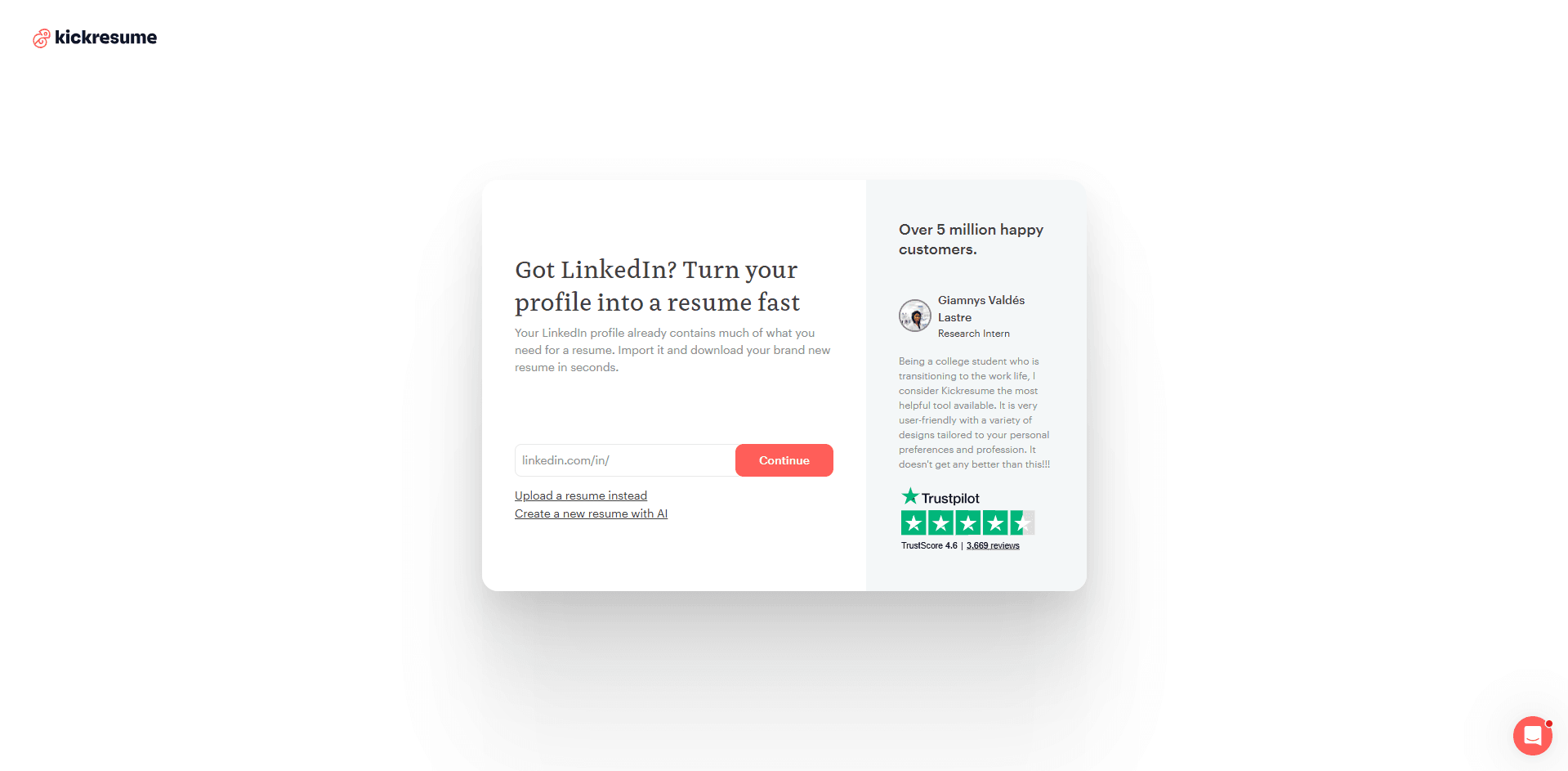
Click on "Resume" and you get five options to start: build from scratch, generate with AI from your job title, import a PDF, use one of their examples, or pull data from your LinkedIn. That flexibility is real and it's one of Kickresume's actual strengths. For most people, the LinkedIn import or the AI generation option will save a lot of time.
The Free Plan: What You Actually Get
Here's where things get uncomfortable to talk about, because Kickresume markets itself as having a free plan and technically it does. But let me show you what that free plan actually gives you versus what it takes away.
You get: 4 resume templates (all basic, black and white, minimal design), 4 cover letter templates, access to 20,000+ pre-written phrases you can paste into sections, and 1,500+ example resumes sorted by job title. You can create as many documents as you want.
You don't get: AI writing tools (capped, then locked). You don't get the ATS checker. You can't download a proper PDF only a PNG of the first page, or a DOCX file with a Kickresume watermark on it. You can't add more than two work experience entries. You can't rename sections. You can't customize colors, fonts, or backgrounds. Most sections Achievements, Awards, Certifications, Hobbies are locked.
That last point matters more than it sounds. Two work experience entries. If you're a recent graduate with two internships and a part-time job, you're already over the limit. And when you try to download, Kickresume flags everything premium you used and blocks the export. So even if you imported your resume and it filled in three jobs you still can't download it as a proper file without paying.
The free plan is really a preview. Use it to see how the tool works. Don't rely on it to actually get a job application out the door.
The Templates: Premium vs Free Is a Big Gap
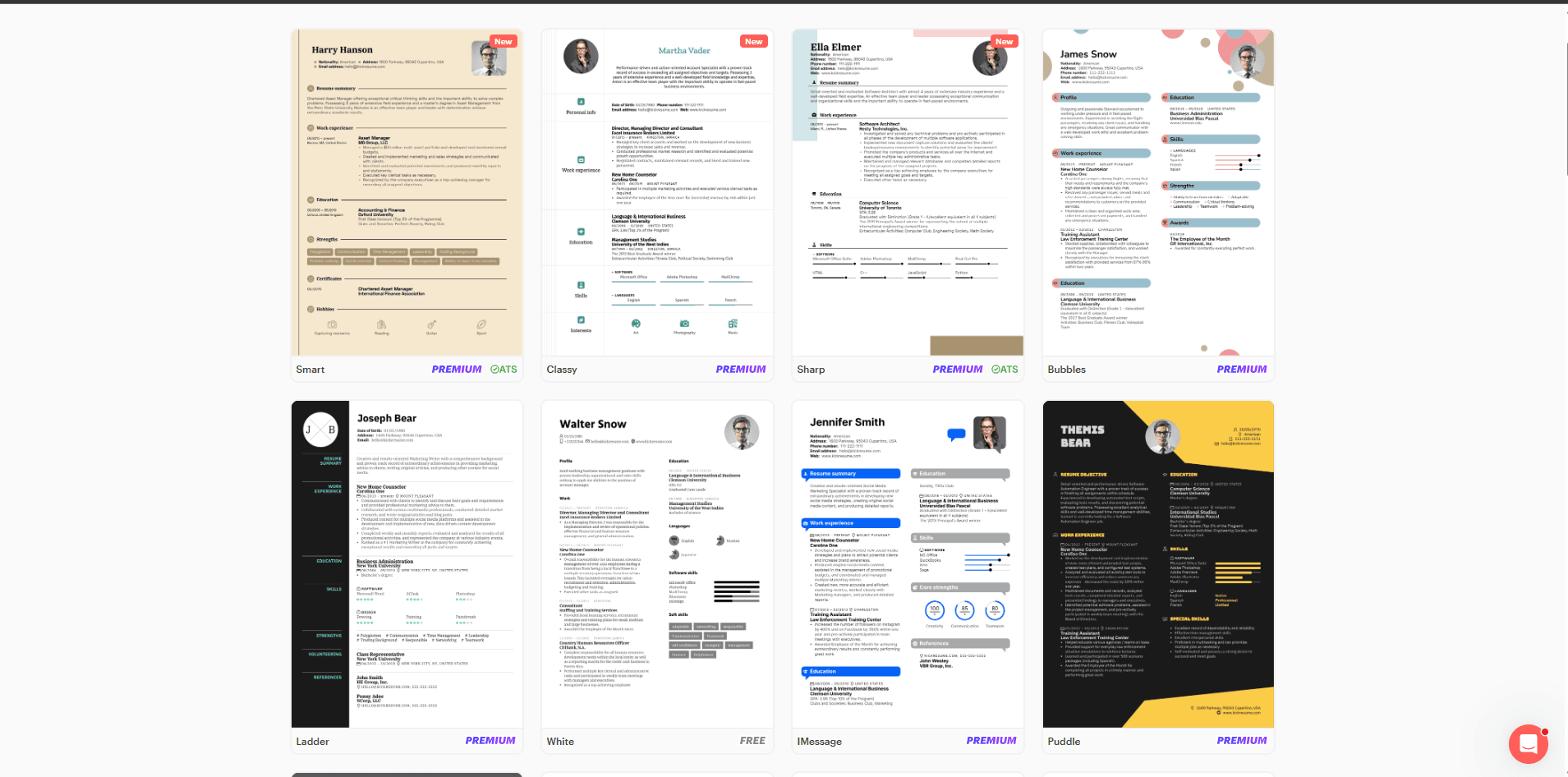
The premium templates are genuinely well-designed. Clean layouts, modern typography, templates for specific industries there's a real library here if you pay for it. Over 40 options. Some of them are the kind of thing you'd actually be proud to send.
The free ones? Four templates. They all look fine but they're basic single column, no color, nothing that stands out. If you're applying to a creative role or any job where design matters even a little, the free templates won't cut it.
One thing worth knowing: when you're in the editor and hit the "Randomize" button to explore templates, it might land you on a premium design. You won't know until you've already clicked. Then you have to go back and figure out which ones are free. Minor annoyance, but it adds up.
The Resume Editor: Solid, With Limitations
The editor itself is clean. Resume preview updates live on the right as you type on the left. It feels fast and responsive. The pre-written phrases actually help especially for people who go blank staring at an empty bullet point box wondering what to write.
But the free plan keeps stepping in. You can't rename "Profile" to "Summary." You can't move sections around freely. Two work experience entries and you're done. The Skills section effectively becomes useless after the AI limit kicks in (more on that in a second).
For someone building their very first resume no work history, just education and a few skills the free editor does the job. For anyone with actual career history to showcase, it becomes a game of "how many walls can I hit before I give up and pay."
The AI Resume Writer: Good Idea, Frustrating Execution
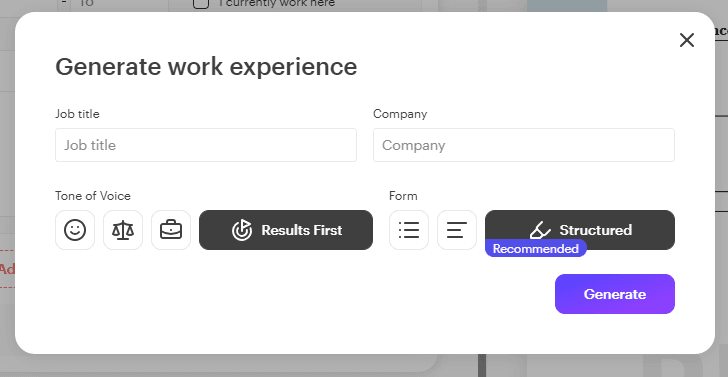
This is genuinely one of Kickresume's better features. The AI runs on GPT-4 and lets you generate resume sections with a decent amount of control. You can pick the tone casual, balanced, corporate, results-oriented. You can write custom instructions telling it to focus on specific achievements. You can choose between bullet points, paragraphs, or a mix. That's more flexibility than most AI resume tools give you.
The problem? Two things.
First, the output sounds like it was written for anyone in your job title, not for you specifically. "Results-driven marketing professional with a proven track record of cross-functional collaboration." That kind of thing. It's grammatically correct. It's formatted properly. And experienced recruiters in 2026 will recognize it immediately as AI-generated, because they're seeing thousands of resumes that sound exactly the same.
Second and this is the part that actually makes people angry the usage limit hits without warning. You're using the AI writer, generating and editing, and suddenly you get a message that you've hit your free limit. Now the Skills section only lets you add two entries. Two. A resume with two listed skills is not something you can actually submit anywhere.
On the paid monthly plan ($24/month), users have reported hitting usage caps after creating as few as 16 resumes in a billing cycle. Kickresume blames the per-call cost of GPT-4 API calls, which is fair but there's no usage meter, no warning when you're getting close. You just hit a wall. That's the part that shows up constantly in one-star Trustpilot reviews.
The ATS Checker: More Upsell Than Tool
The "Improve" tab gives you an ATS score. I ran the free "White" template with a standard resume and got a 42 out of 100 overall, with a design score of 20. Fair enough I wasn't expecting a perfect score with a basic template.
Then I switched to a premium template to see if it would improve. The overall score went down to 33. The design score dropped to 5. A premium template scored worse for ATS than a free one which tells you either the scoring is miscalibrated or it's designed to push you toward upgrading for advice, not toward actually passing ATS systems.
To see the breakdown of what's dragging your score down the actual useful part you need to upgrade. On the free plan, you see the number and nothing else. It's a teaser, not a diagnostic tool.
Pricing in 2026: What You're Actually Paying For
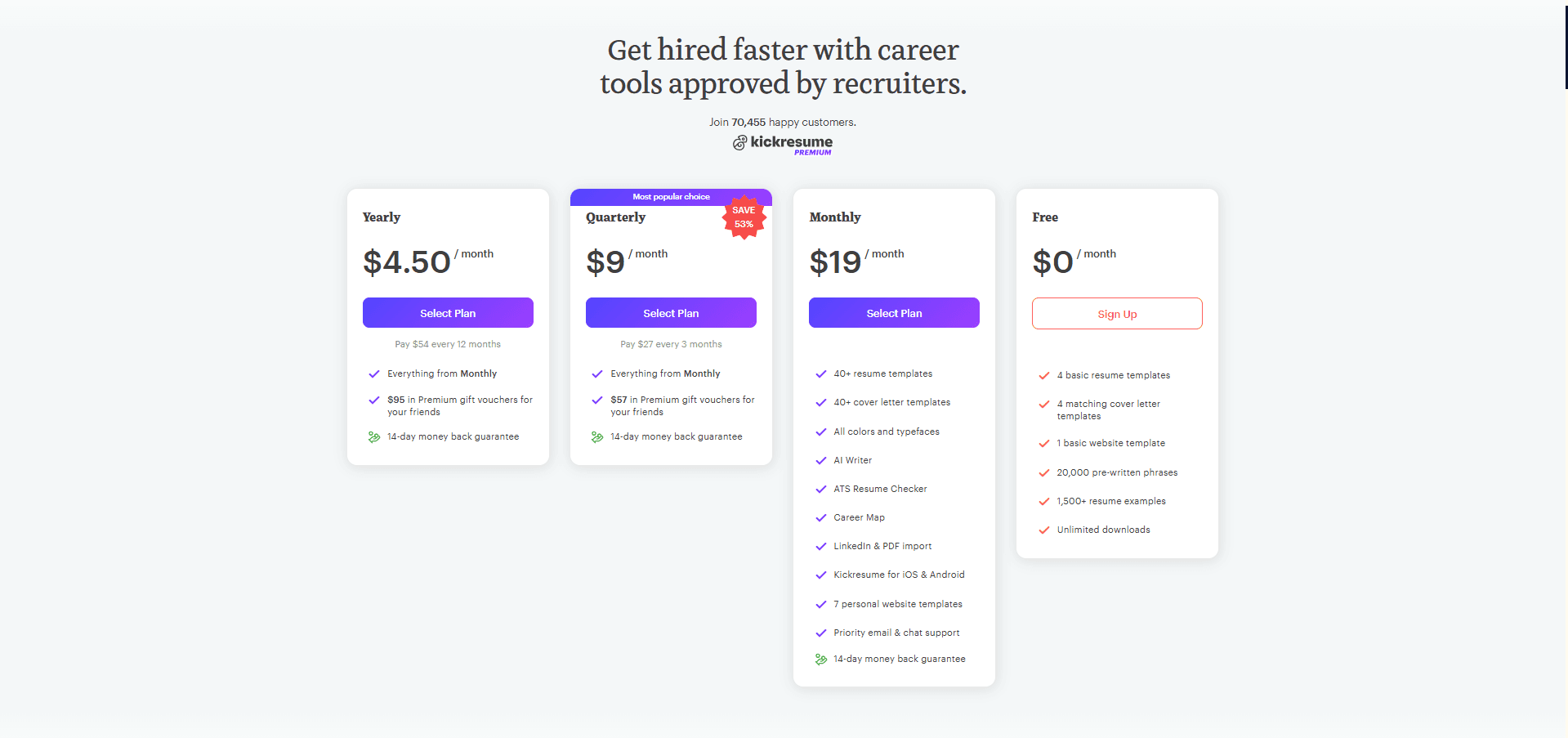
| Plan | Monthly Cost | Billed As | What You Get |
|---|---|---|---|
| Free | $0 | — | 4 templates, capped AI, no PDF |
| Monthly | $24 | $24/month | Everything unlocked, 14-day refund |
| Quarterly | $18 | $54 every 3 months | Same + friend vouchers |
| Yearly | $8 | $96/year upfront | Best value if you commit early |
| Students & Teachers | $0 | 6 months free | Full premium via ISIC/ITIC/UNiDAYS |
If you're a student or teacher, the 6-month free premium offer is genuinely excellent probably the best student deal in the resume builder space right now. Verify with ISIC, ITIC, or UNiDAYS and you get everything unlocked at no cost.
For everyone else: the monthly plan at $24 is hard to justify. That's nearly $300 a year to build resumes. The yearly plan at $96 makes more sense if you know you'll be job hunting for a while. But at $24/month with AI caps that can hit mid-cycle? That's the pricing that shows up in the complaints.
One thing worth noting about the refund policy: Kickresume advertises a 14-day money-back guarantee, and it works for many people. But enough Trustpilot reviewers describe being denied refunds or getting no response within the window that it's worth knowing before you put your card in.
What People Who Actually Use It Say
The overall Trustpilot score of 4.6 from 3,500+ reviews is real, and the positive reviews are consistent: fast, good-looking output, easy to use, comes out looking professional. People who just need a resume quickly and don't mind paying come away happy.
The one-star reviews tell a different story. Three complaints show up over and over again. AI limits hitting without warning (and support being slow to respond). Refund issues. And AI output that feels generic multiple users mention that they ended up rewriting everything or going back to ChatGPT because Kickresume's suggestions could have belonged to anyone.
Reddit threads on r/resumes and r/jobs are generally positive about Kickresume but cautious. A common pattern: people recommend it for getting something together fast, but warn about the paywall structure once you start needing more. Some threads question whether the overwhelmingly positive posts are organic.
How It Compares to the Competition
| Feature | Kickresume | Zety | Resume.io | Novoresume | SoundCV |
|---|---|---|---|---|---|
| Usable Free Plan | Partial | No | No | Partial | Yes |
| Free PDF Download | No | No | No | No | Yes |
| Free Templates | 4 | Few | Few | 2 | 50+ |
| AI Writing | Capped | Paid only | Paid only | Paid only | Included |
| Live ATS Score | Paid only | Limited | No | No | Live & free |
| Starting Price | $24/mo | $14.99/mo | $19.95/mo | $16/mo | Free |
Kickresume vs SoundCV The Honest Comparison
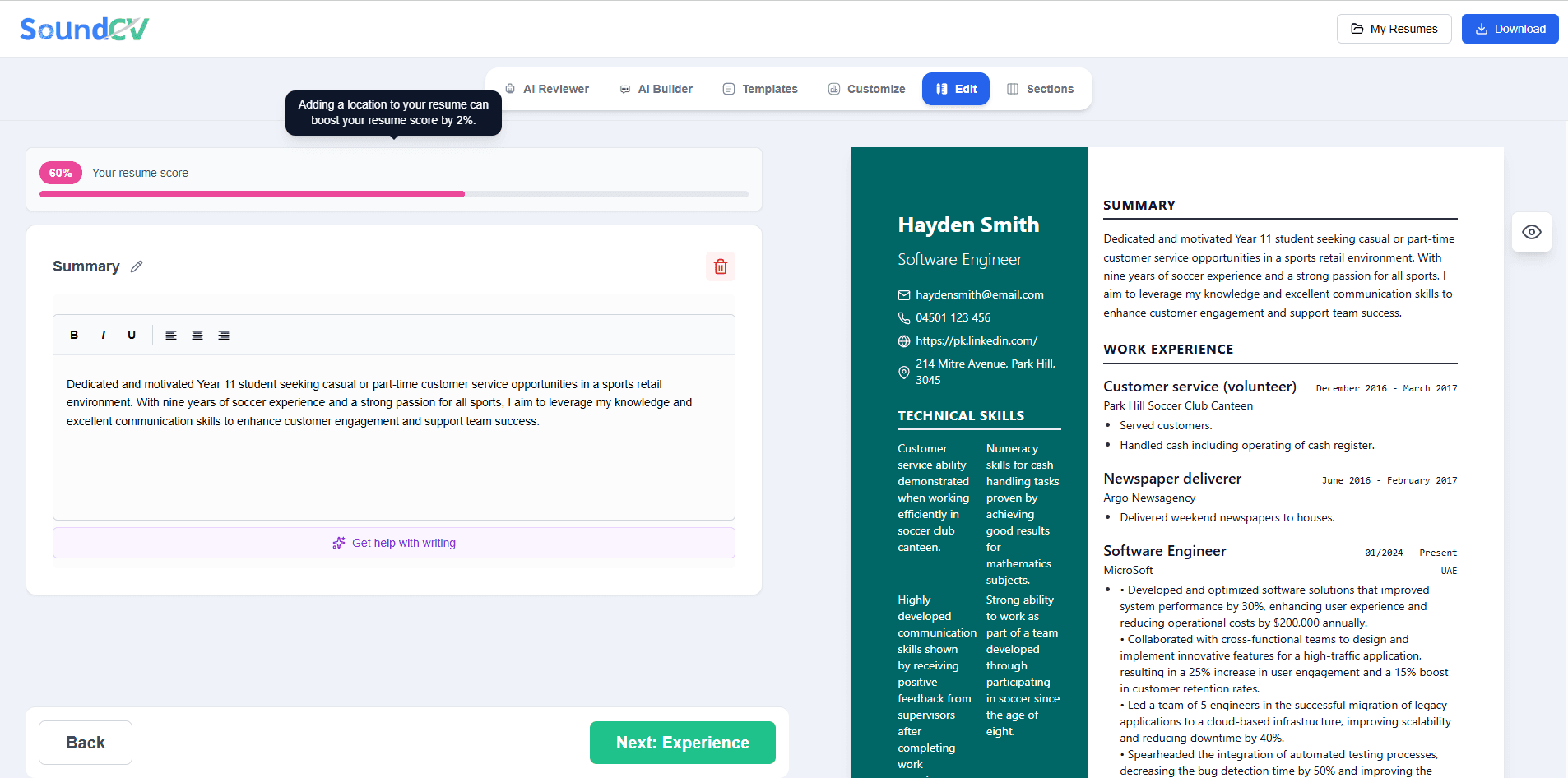
The biggest gap between Kickresume and SoundCV is where the ATS score lives. In Kickresume, it's a tab you go check after you're done and on the free plan you can't even see what's dragging your score down. In SoundCV, the ATS score updates in real time as you write. Every section you fill in, every keyword you add, the score adjusts. You're fixing problems as you create them, not after.
SoundCV also gives you 50+ ATS-optimized templates on the free plan. Not four, not two fifty-plus. And you can download your resume as a proper PDF without paying. For someone who needs a job-ready document without a subscription, that's a significant difference.
Where Kickresume genuinely pulls ahead: it has a personal website builder, a remote job board built in, resume translation into other languages, and a bigger library of example resumes to reference (1,500+). If you're looking for an all-in-one career platform and you don't mind paying for the yearly plan, Kickresume is more feature-complete. If what you need is a strong, ATS-ready resume and you don't want to hit walls every few minutes SoundCV is the more practical choice.
Build Your Resume Free on SoundCV
Live ATS score. 50+ templates. No credit card. No paywall mid-build.
Get Started FreeSo Should You Use Kickresume?
It depends on where you are in your job search and what you actually need.
If you're a student or teacher who qualifies for the 6-month free premium offer yes, absolutely use it. That's a genuinely good deal and you'll get the full feature set without paying anything.
If you're building your first resume and have minimal work history the free plan can get you something functional, though you'll hit the 2-entry limit quickly and won't be able to download a proper PDF without paying.
If you're an experienced professional who needs control over structure, sections, and formatting Kickresume's free plan isn't going to work for you, and at $24/month the paid plan needs to be compared honestly against alternatives that cost less or nothing.
If you want an ATS score you can actually use while building not a gated number you need to upgrade to understand there are better options.
Kickresume is a well-built product. The interface is genuinely good. The AI writer, when it's available, is better than most. But the gap between what it promises and what the free plan actually delivers is wide enough that going in without knowing costs people time and frustration they didn't have to spend.
| Ease of Use | 5 / 5 |
| Design & Templates | 4 / 5 |
| AI Writing Quality | 3.5 / 5 |
| Free Plan Value | 2 / 5 |
| ATS Tools | 3 / 5 |
| Pricing Transparency | 2.5 / 5 |
| Overall Rating | 3.5 / 5 |
Related Blogs
Explore more insights and guides you might like.
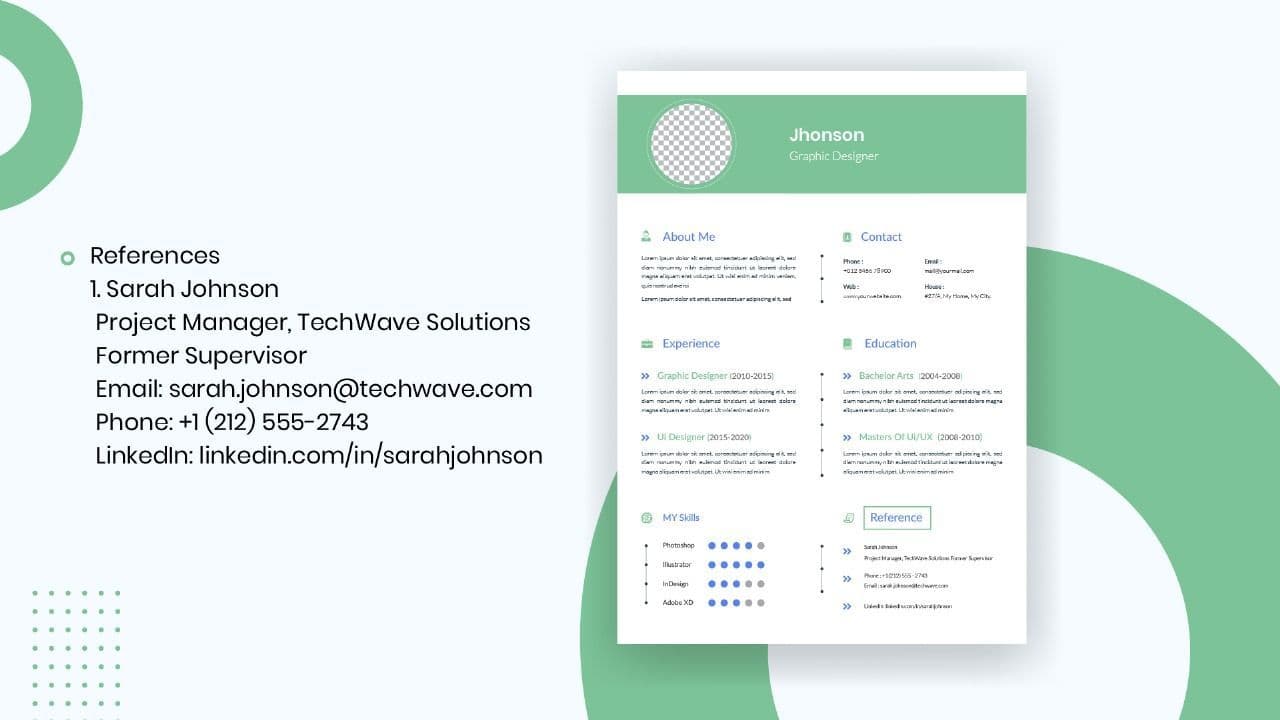
How to List References on a Resume in 2026
Learn the modern 2026 approach to listing references on your resume for maximum professionalism and recruiter impact.

Is Sound CV good for students and fresh graduates with no experience?
Sound CV is perfect for students and fresh graduates, helping them create professional resumes that highlight skills, projects, and potential even with little or no work experience.
Why Sound CV Is Different from Other AI Resume Builders
Sound CV stands out by creating job-focused, ATS-friendly resumes that highlight real achievements, not just generic content.
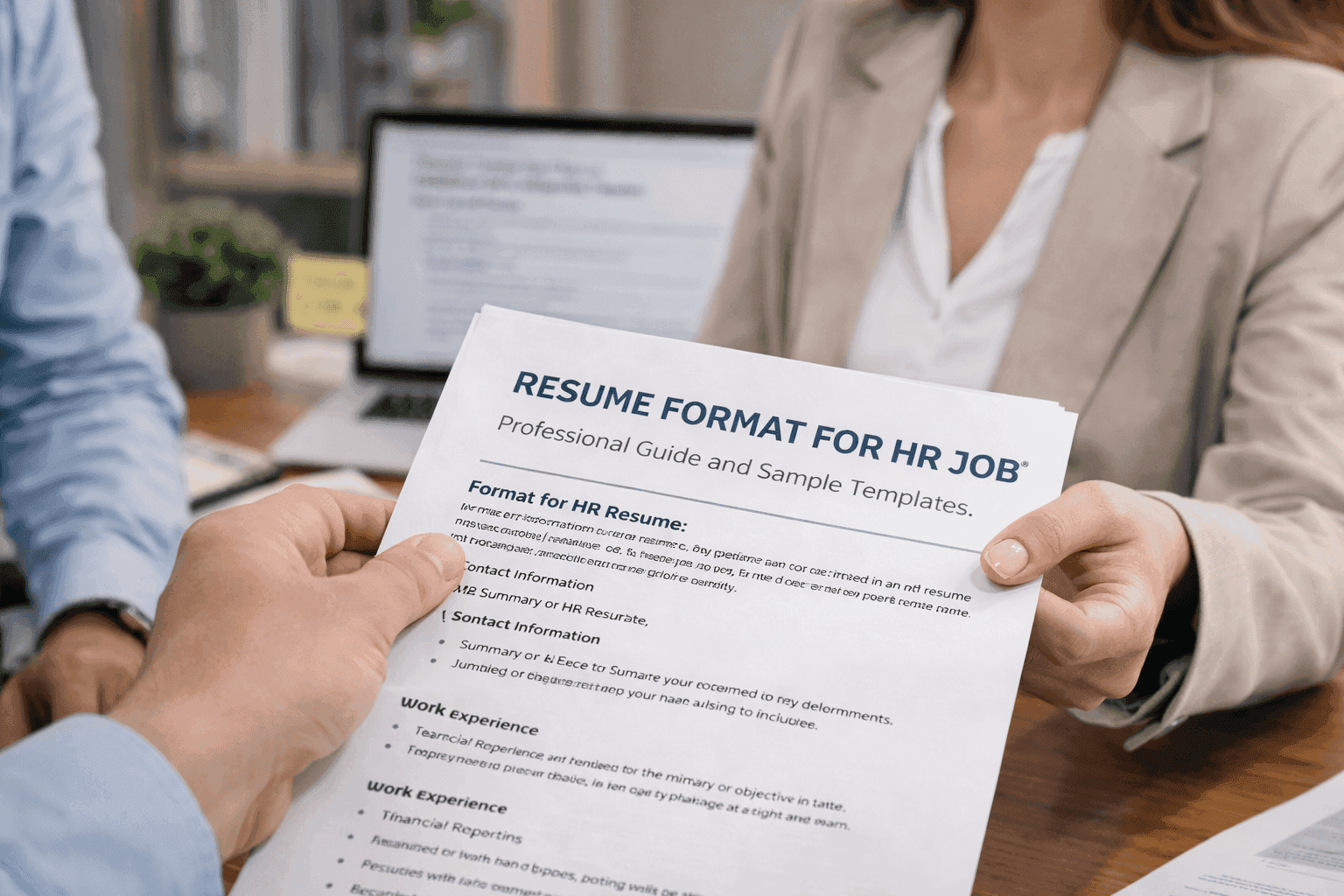
Resume Format for HR Job: Professional Guide and Sample Templates
A complete guide to the best resume format for HR jobs, with expert tips and sample templates to help you create a professional and job-ready resume.
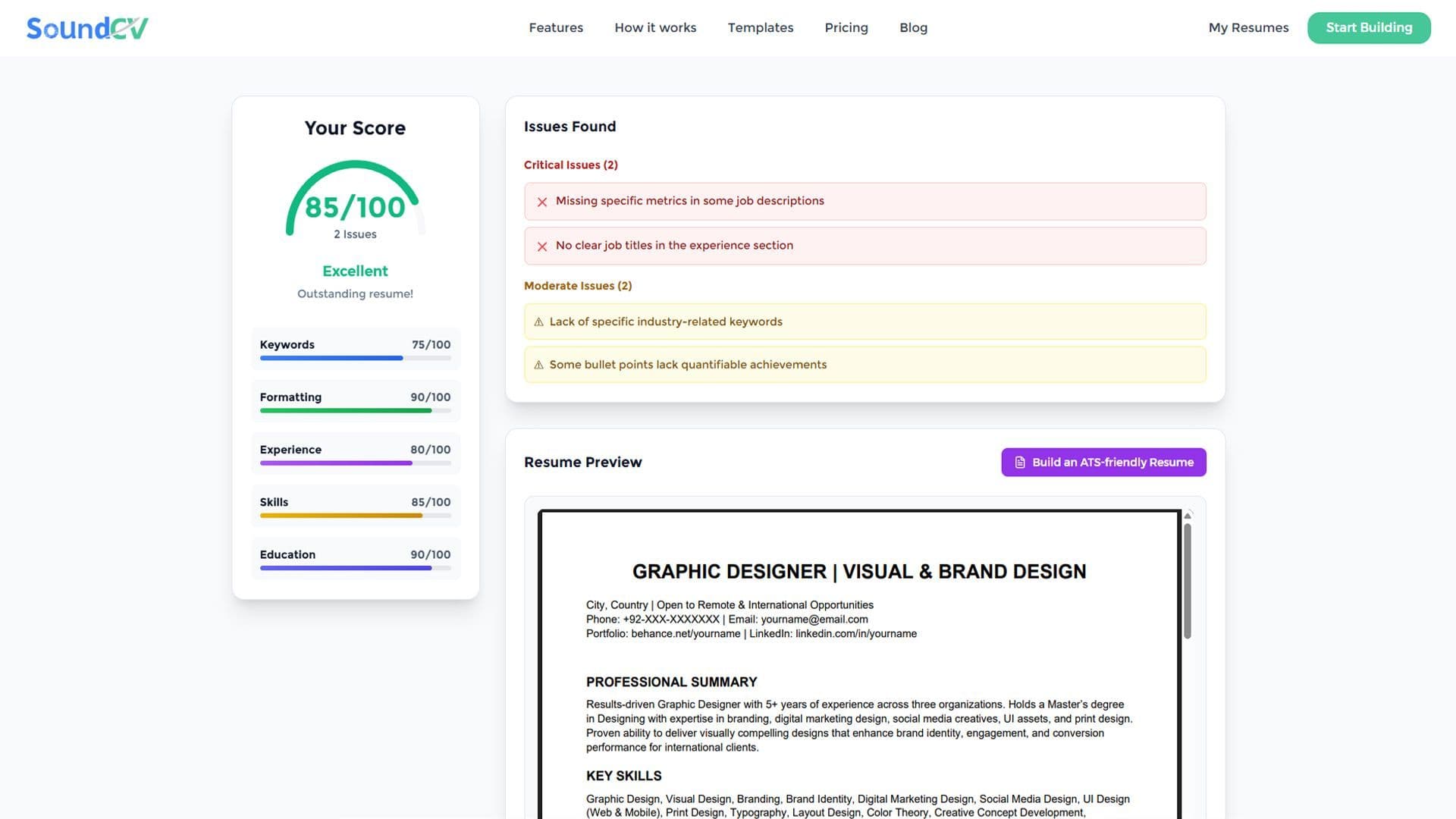
How Does the Sound CV Resume Score Checker Work?
The Sound CV Resume Score Checker analyzes your resume against ATS requirements, job-specific keywords, and structure to provide an instant, actionable score.
What Is a Sound CV? Features, Benefits, and How It Works
A Sound CV is an AI-powered resume that is tailored, ATS-optimized, and designed to showcase your skills and achievements to help you stand out to recruiters.